New Dex Training Paths: More Options, Easier Processes for Your Team
Posted on
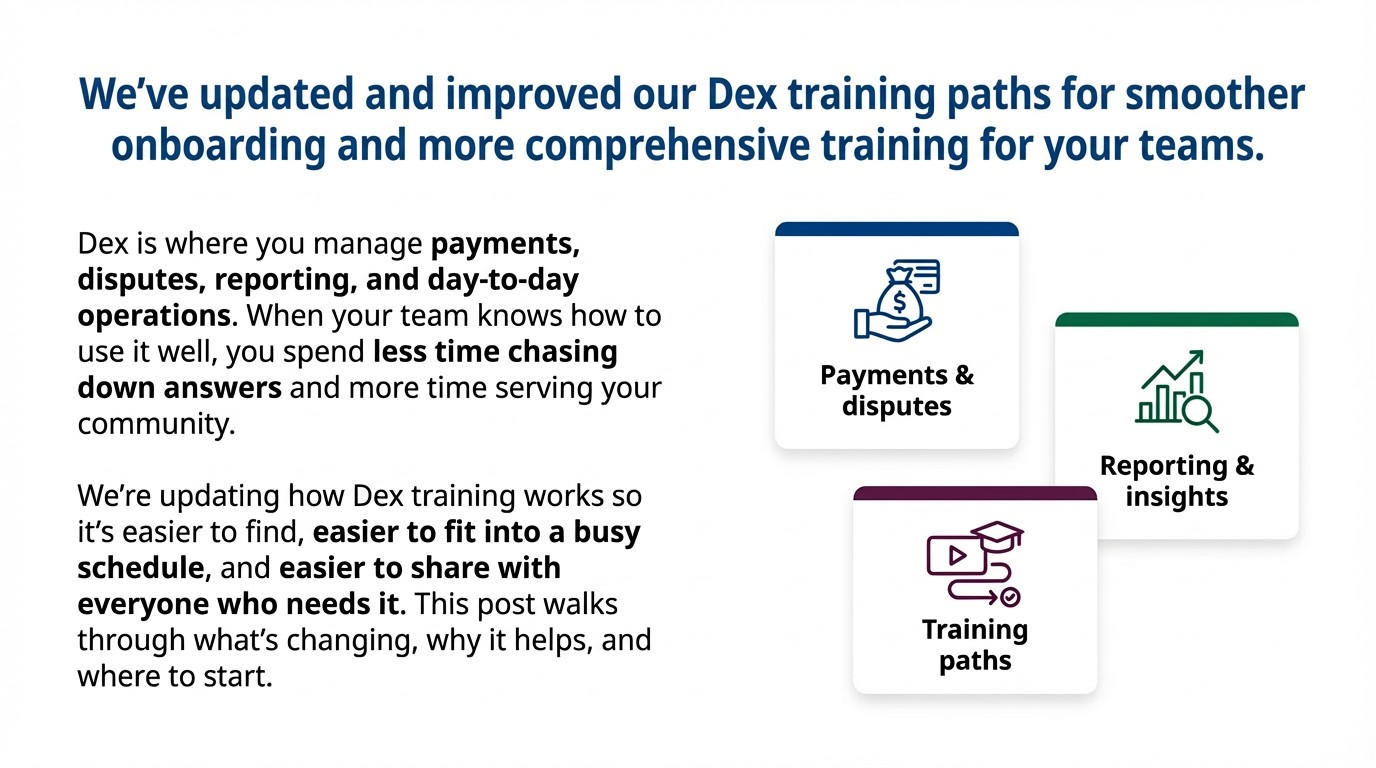
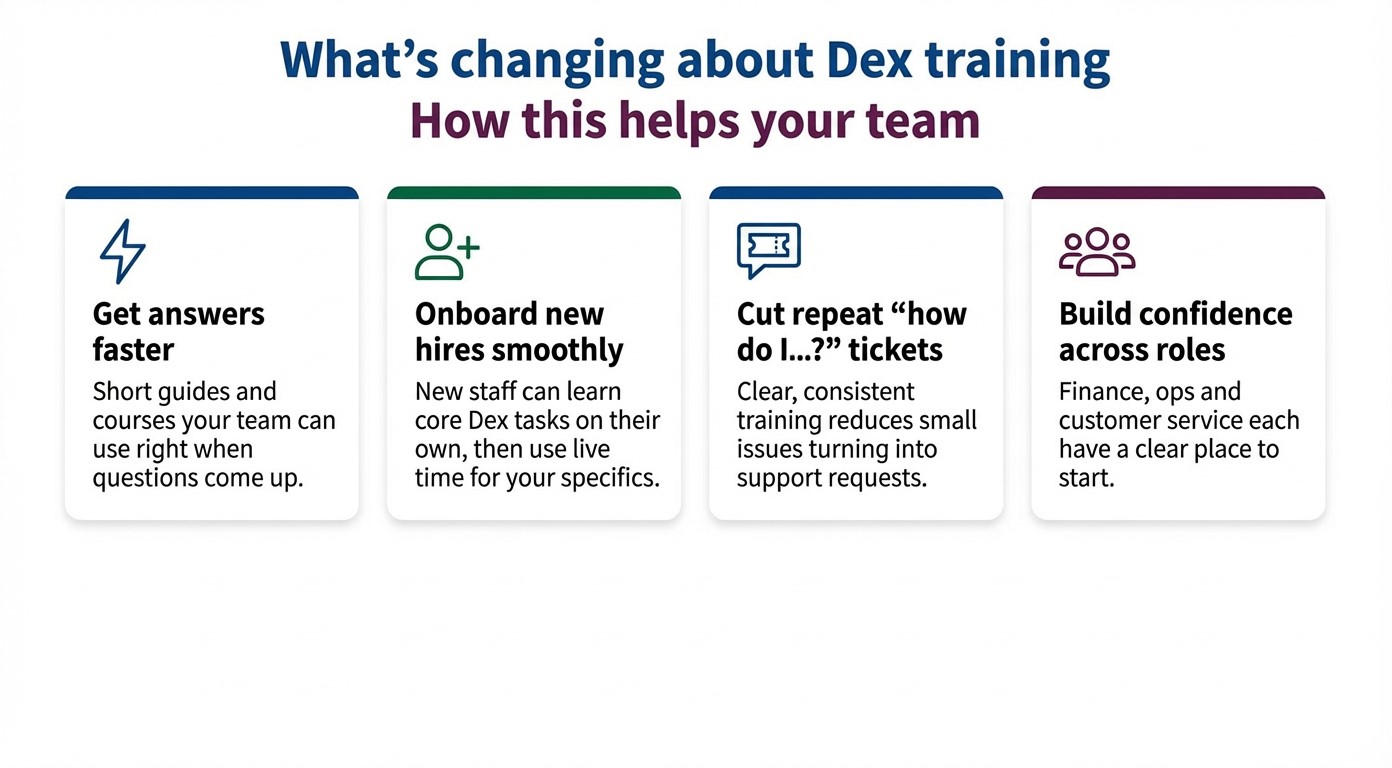
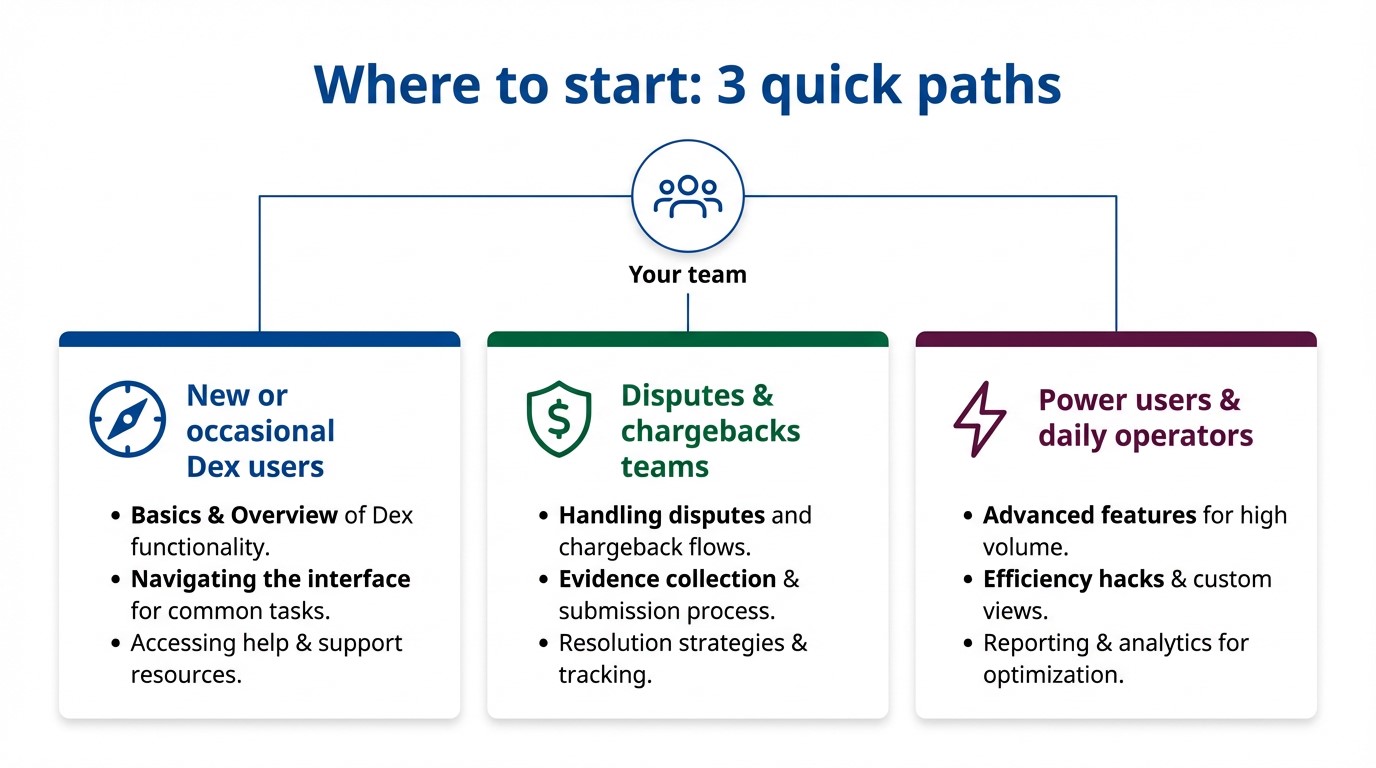
CSG Forte’s Dex is the workspace where your team keeps payments, disputes, reporting, and day‑to‑day operations on track. When people know their way around Dex, they spend less time hunting for answers and more time serving your community. With our updated Dex training paths—short, focused, and easy to access—you can give every user a clear starting point, build confidence faster, and get more value from Dex with less effort.
How to Design Recurring Insurance Payments That Protect Cash Flow
Posted on
Key Takeaways
Well-designed recurring premiums and payment plans reduce involuntary churn and late payments while making premium cash flow more predictable.
Flexible schedules, multiple payment methods and clear communications help policyholders feel in control—improving on-time payments and satisfaction.
A modern, omnichannel bill pay platform is essential to run recurring strategies at scale, with validation, account updater, reminders and reporting that reduce manual work.
Insurance leaders spend millions winning new policyholders—only to lose too many of them to something as basic as billing.
Cards expire. ACH debits hit at the wrong time. Paper notices arrive late. A policyholder who fully intends to stay suddenly finds themselves out of coverage, frustrated, and shopping for a new carrier.
Thoughtful recurring payments and payment plans change that story. When they’re designed around real-world cash cycles, multiple rails and clear communication, they can:
Avoid coverage lapses and involuntary churn
Make cash flow more predictable for insurance leaders
Reduce manual workload for billing and call-center teams
Give policyholders control over how and when they pay
Insurance is, at its core, a subscription: policyholders pay on a set cadence for ongoing protection.
When that cadence is automated, reliable and transparent, everyone benefits.
Avoid lapses
A surprising amount of “churn” in insurance is involuntary. Customers often mean to stay, but lose coverage because a payment failed and never got fixed in time.
Common breakdowns include:
An expired or reissued card that isn’t updated in the portal
An ACH debit that lands a day before payday instead of after
A vague “payment error” notice that arrives by mail when the grace period is almost over
Recurring setups can significantly reduce those avoidable lapses via:
Multiple rails (card, ACH, digital wallets)
Smarter retries and timing
Clear digital notifications
Stabilize cash flow
For CFOs and actuaries, premium cash flow underpins investment decisions, reinsurance strategy and growth plans. Automated, scheduled collections make it easier to:
Forecast monthly and annual inflows
Model the impact of rate changes or new products
Manage liquidity with fewer surprises
Industry payment research shows that automatic payments create steadier revenue and lower days-sales-outstanding for subscription-style businesses, improving budgeting and resource allocation.
Reduce manual work
Every manual payment typically touches multiple teams: agents, contact centers, billing, finance and sometimes collections. Adding recurring payments (especially via self-service digital channels) can:
Shift more payments out of the call center and mail
Reduce dunning and reinstatement work tied to missed payments
Cut down on one-off adjustments and suspense accounts
That’s a core theme of insurance payment modernization: a modern, omnichannel platform reduces manual work while improving collections and retention.
4 smart recurring options for policyholders
The real design question isn’t “Should we offer recurring?” It’s “Which recurring models fit our customers and risk appetite?”
1. Build around real-life cash cycles
Policyholders don’t all budget the same way. A small, intentional set of options usually works better than an endless menu.
Paycheck-aligned dates—such as 1st/15th or specific weekdays following typical payroll dates—to reduce NSF risk for wage earners
For some products, aligning drafts to benefit disbursements (e.g., income-protection benefits) [needs internal validation]
In other essential services, aligning due dates with income cycles has been shown to reduce delinquencies and insufficient-funds events.
If your systems can’t support many cadences, even allowing customers to choose between a few draft days (for example, 1st, 10th, 20th) creates a sense of control and can improve on-time payments.
2. Support multiple rails—but steer intelligently
Modern insurance payment stacks should support a mix of:
ACH / eCheck for stability and lower cost on large or recurring premiums
Cards for familiarity and smooth digital enrollment, especially in new-business flows
Digital wallets (Apple Pay, Google Pay, PayPal, etc.) where adoption is high—particularly on mobile
ACH is critical for many recurring premiums because bank accounts tend to change less frequently than cards and have lower decline rates over time.
3. Clarify “autopay” vs. “recurring but confirmed”
Not everyone is ready for a full “set-it-and-forget-it” draft. Offer tiers of automation:
Autopay: the premium is debited automatically on a set schedule (with clear notices and change/cancel options)
Assistive recurring: reminders with the amount and stored method pre-filled; the policyholder taps to approve each time
Hybrid: autopay for the base premium, manual for variable charges or fees
This lets cautious policyholders build trust gradually, while still improving predictability for the insurer.
4. Make options consistent across channels
Whatever recurring structures you offer should be:
Visible and manageable in web and mobile portals
Available (or at least viewable) via IVR and contact-center scripts
Reflected consistently in statements, emails and texts
When agents see one view and portals show another, policyholders quickly lose confidence and are less likely to enroll—or stay enrolled—in recurring options.
Encouraging adoption without pressuring customers
Recurring premiums and plans only work when policyholders see them as tools that help them stay covered—not mechanisms that trap them.
Make recurring the easiest path—not the only path
Subtle choices matter:
Present recurring options prominently at quote, bind, first payment and renewal—but always keep a clearly visible one-time payment option
Pre-select a recommended schedule (for example, monthly ACH on or just after payday), with a simple way to change it
Use plain language to explain:
What amount will be drafted
On what dates
How to pause, cancel or change the method
Communicate like a partner
Policyholders are more likely to adopt—and stay on—autopay when communication feels supportive instead of punitive.
Best practices include:
Proactive reminders before the first recurring debit and before each renewal
Immediate confirmations after each successful payment (via email, SMS or app)
Clear, friendly decline alerts that explain what happened (for example, “card expired”) and offer one-click paths to fix it
Tie these into your broader customer journey so billing messages match the tone and channels used for other key updates, like claims status.
Avoid dark patterns and coercion
Regulators and consumers are increasingly sensitive to billing practices that feel deceptive or coercive. Avoid:
Making autopay a de facto requirement for basic products when it’s not necessary
Hiding fees or conditions in dense fine print
Making cancellation significantly harder than enrollment
Instead, focus on:
Transparent benefits (fewer late fees, lower lapse risk, less paperwork)
Optional, modest incentives where allowed (for example, reduced installment fees for ACH autopay) [needs internal validation]
Everyday-scenario education (“Set your draft two days after payday so you’re not worrying about timing.”)
To prove recurring strategies are working—and to refine them—track metrics in three categories.
1. Retention and coverage continuity
Lapse rate tied to non-payment (new business and renewal)
Reinstatement rate and average time to reinstate
Involuntary churn: percentage of cancellations where a failed payment was the trigger
2. Payment performance
Autopay adoption rate by product and channel
Success rate for recurring payments (card vs. ACH vs. wallet)
Retry recovery rate: percent of failed payments successfully collected after retries or outreach
3. Operational efficiency
Billing-related call volume (especially “payment didn’t go through” and “how do I pay”)
Average handle time for payment calls
Manual work per 1,000 payments (exceptions, adjustments, suspense/unapplied cash)
Time to reconcile and month-end close impacts
These metrics help connect recurring design decisions (rails, timing, reminders) to measurable outcomes in cash flow, retention and workload.
Where a modern bill pay platform fits in
Designing smart recurring options on paper is one thing; running them at scale is another.
Many carriers still rely on fragmented systems that include multiple portals, limited ACH and wallet support, manual reminders and brittle reconciliation. This fragmentation makes recurring payment strategies fragile.
A modern, omnichannel bill pay platform for insurance is built to:
Present consistent one-time and recurring options across web, mobile, IVR, text-to-pay, in-person and agent-assisted channels
Support complex recurring premiums and payment plans (scheduled, partial, over-payments) from a single configuration layer
Integrate account validation, account updater and recovery services to reduce recurring failures at the source
CSG’s payments and customer experience journey solutions are designed around these principles—helping insurers reduce declines, modernize self-service payments, and orchestrate reminders and recovery flows that quietly protect coverage and cash flow.
For most teams, the next step is straightforward: assess your current recurring options, rails mix and metrics, then build a roadmap that pairs better plan design with the right underlying platform.
Ready to future-proof your insurance payments? Discover how a modern bill pay platform streamlines recurring premium strategies, boosts retention and protects your cash flow. Contact us today for a personalized assessment and start optimizing your payment experience.
Frequently Asked Questions
What are the most common reasons recurring insurance premiums fail?
Typically: insufficient funds, expired or reissued cards, invalid or changed account data, technical issues and fraud/risk checks that block a transaction. Insurers can address these with ACH options, account verification, card updater services, smart retry logic and clear decline communications.
Is ACH better than cards for recurring insurance payments?
ACH is often lower-cost and more stable for large, recurring premiums because bank accounts change less frequently and have lower decline rates than cards. Cards and wallets are still valuable for convenience and enrollment, so best practice is to support both—and steer long-tenure, higher-balance premiums toward ACH where appropriate.
How can insurers encourage autopay adoption without upsetting customers?
Make recurring the easiest—but not only—path; use plain language about control and cancellation; send reminders and confirmations; and avoid dark patterns like hiding fees or making cancellation difficult.
Do recurring premium strategies increase compliance or security risk?
They introduce requirements around consent, disclosure and payment data protection, plus ACH validation and dispute handling. Using PCI-compliant hosted payment forms, tokenization, encryption and Nacha-aligned ACH flows helps mitigate those risks.
Can a modern bill pay platform handle recurring premiums for multiple products and channels?
Yes. Modern bill pay platforms are designed to support recurring, scheduled, partial and over-payments across web, mobile, IVR, text-to-pay and agent-assisted channels, integrated with policy, billing and claims systems.
Fixing the Virtual Card Reimbursement Workflow With Straight Through Processing
Posted on
Key Takeaways
Virtual card payments often look digital but still rely on mail, manual keying and spreadsheet-driven posting—which slows cash and increases risk.
Straight Through Processing (STP) automates Optum virtual card payments end-to-end, unifying funds and remittance to support auto-posting and cleaner reconciliation.
Physician groups can pilot STP in 90 days, targeting high-volume, high-friction reimbursement streams without changing payer adjudication or core clinical systems.
If you look only at payer portals and remittance advice, virtual card payments seem like progress. Funds are “digital,” checks are disappearing, and payers can route reimbursements over card rails instead of the mail.
But if you sit in a physician group finance or admin role, the view is different. Every “payment available” notice can trigger a familiar chain: someone logs into a portal or opens mail, retrieves card details, runs the card, hunts down the remit, then works the posting and reconciliation by hand—often across multiple systems and spreadsheets.
On paper, those dollars are “paid.” In practice, they’re not truly closed out in your ledger for days or weeks. That’s where posting breaks down—and where Straight Through Processing (STP) is designed to help.
This blog unpacks why virtual card reimbursements create so much posting friction for physician groups and how STP changes the flow from “approved” to “deposited and reconciled,” without forcing a rip-and-replace of your revenue systems.
Why “digital” virtual card payments still behave like paper
Most posting problems with virtual card payments aren’t about a single big failure. They’re the result of how information moves—piecemeal—between payers, portals, lockboxes, and your internal teams.
For many physician groups today, an Optum or other payer virtual card reimbursement looks like this:
Payment available: The payer and/or Optum issues a virtual card for an adjudicated claim. A notice arrives by mail or via a payer portal.
Retrieval: Staff open envelopes or log into portals to retrieve the card number, amount and basic remittance.
Processing: Card details are keyed into a POS or virtual terminal as if they were a standard retail card transaction.
Remittance match: Deposits are manually matched to 835s, PDFs, or portal remits. Teams rely on spreadsheets and workarounds when something doesn’t line up.
Posting: Payments and adjustments are re-keyed into practice management (PM), EHR, or central business office systems.
Reconciliation
Finance reconciles bank activity to the GL by payer, location and specialty, dealing with gaps, delays, and unapplied cash.
That workflow “works,” but it’s slow, expensive, and hard to standardize—especially in multi-location physician groups with a complex payer mix.
Where posting breaks down in virtual card workflows
From a CFO’s perspective, there are four recurring break points that turn virtual card payments into posting headaches.
1. Card credentials are not a postable transaction
A mailed virtual card letter or portal credential is really just a set of instructions. Your staff have to turn it into cash and accounting entries: retrieve, run, post, reconcile.
Payments run but never fully reconciled back to the remit
At scale, this becomes thousands of low-value touches per month for centralized cash posting teams.
2. Funds and remittances don’t travel together
In many card-by-mail models, you see the deposit on the bank side well before a complete, standardized remit is available in your revenue system. Staff are left to answer: “What does this deposit belong to?”
Misapplied payments when line items are matched incorrectly
Extra research work to satisfy auditors and internal controls
3. One virtual card often covers many claims
Virtual cards frequently bundle multiple encounters, patients, or service lines. If your tools don’t receive a clean, machine-readable remittance alongside the deposit, your team performs manual “unbundling” in spreadsheets before they can post by claim or encounter.
The more specialties, locations, and TINs you have, the more complex this gets.
4. Manual keying expands your risk and compliance footprint
When staff handle card data directly—opening mail, reading card numbers, and entering them into terminals—you extend PCI scope and increase the number of people and locations exposed to sensitive information.
You also distribute control over a high-value revenue stream across improvised, local workflows instead of a governed, central process.
What STP is and how it changes the last mile
STP is CSG Forte and Optum Financial’s answer to these breakdowns. Internally, it’s defined as a payment automation process that lets healthcare providers receive payments from insurance companies and from patients (via their payers) in about one day, directly into their bank accounts.
The key is that STP doesn’t ask payers to stop using virtual card payments. It changes what happens next:
The payer and Optum continue to originate virtual cards for adjudicated claims, just as they do today.
Instead of printing and mailing card details or relying on manual portal retrieval, Optum sends virtual card credentials and remittance data electronically to CSG Forte over secure, encrypted channels.
CSG Forte processes those virtual cards automatically and deposits funds into your designated bank account—typically the next business day after approval, rather than weeks later.
Payment and remittance data are delivered together through Forte’s platform (Dex) and into your revenue tools where integrated, supporting auto-posting and faster reconciliation.
For your team, the experience shifts from “we finish the last mile by hand” to “reimbursements show up as electronic deposits with usable remittance data.”
How STP fixes the posting problem
From a physician group admin/CFO lens, STP addresses the root causes of posting friction.
1. Eliminating “retrieve and key” work
For Optum virtual card streams enrolled in STP, your staff no longer:
Open envelopes or log into portals to pull card numbers.
Key 16-digit card details into a terminal.
Re-key the same amounts and adjustments into billing systems.
Those steps are handled electronically. Your revenue cycle team can move from touching every payment to managing defined exception queues.
2. Unifying funds and remittance
Because STP carries both the virtual card transaction and associated remittance data, deposits arrive with the context needed to post them correctly.
That supports:
Auto-posting of payments and adjustments where your PM/EHR or RCM is integrated
Cleaner reconciliation in Dex and core finance systems
Less unapplied cash and fewer “mystery” deposits at month-end
3. Standardizing workflows across clinics and specialties
STP gives finance and revenue leaders a way to centralize how virtual card reimbursements are handled—even if front-end systems and payer mixes vary by location or specialty.
You can:
Define routing rules by payer, specialty, entity, and bank account.
Apply consistent controls and exception handling across the footprint.
Reduce reliance on local spreadsheets and “shadow systems” to close gaps.
4. Reducing risk and tightening controls
STP is designed to operate within PCI DSS, HIPAA and HITRUST-aligned security frameworks.
Card data and remittance information flow through encrypted, access-controlled systems instead of mailrooms, desktops and ad-hoc terminals.
That enables:
A smaller group of staff with direct access to payment data
End-to-end audit trails from Optum transaction ID to bank deposit to GL entry
Clear segregation of duties between configuration, exception resolution, and financial approval
Two flows to focus on: insurer and patient-via-payer
For physician groups, STP impacts two main sets of virtual card payments.
1. Insurer (B2B) reimbursements
A patient visit is coded and billed.
The payer adjudicates and approves a portion of the claim.
Optum generates a virtual card for the allowed amount and routes credentials + remittance data to CSG Forte under the STP model.
Forte processes the virtual card and deposits funds to your bank account, typically within one business day of approval.
Payment and remittance data are surfaced in Dex and, where integrated, flow into your revenue and finance systems for posting and reconciliation.
2. Patient (C2B) payments via payer portals
After insurance, the patient owes a remaining balance (copay, deductible, coinsurance).
The patient pays that balance through a payer-linked portal using an HSA/FSA or other card.
That payment hits the payer’s engine, which creates a virtual card for the patient-owed amount and sends it via STP to CSG Forte.
Forte processes the virtual card and deposits funds into your account, aligning the payment with the same claim and patient.
By centralizing both flows, STP gives your finance team a clearer, more predictable picture of cash from insurer contracts and payer-portal patient payments.
Evaluating STP as a physician group finance leader
You don’t need to treat STP as a major IT overhaul. Internal playbooks position it as something you can pilot in 90 days with a focused, data-driven approach.
Here’s a practical way to frame the decision.
Step 1: Quantify the current burden
With revenue cycle and operations leaders, gather:
Monthly volume of Optum virtual card payments, by payer and specialty
Minutes of staff time per payment from “payment available” to posted and reconciled
Effective fee rate on those virtual card payments, including any value-add services
Exception rate: percentage of payments requiring rework or escalation
This gives you a directional view of how much FTE capacity and margin these workflows consume today.
Step 2: Identify high-impact cohorts for a pilot
Look for combinations of:
High virtual card volume
Long lag between approval and posting
Heavy manual work and backlog
These payer/specialty/location cohorts are strong candidates for a first STP rollout.
Step 3: Design a 90-day straight-through reimbursement pilot
Internal guidance outlines a 0–90-day path:
Days 0–30: discover and map current steps, touch points and systems
Days 31–60: configure STP enrollment and bank routing with Optum and CSG Forte; connect to Dex and test with a limited scope
Days 61–90: expand to more sites/specialties, monitor auto-posting and exception metrics, and refine rules and training
The objective is not perfect automation on day one. It’s a governed, measurable improvement in:
Time from approval to deposit
Hours per 1,000 payments
Exceptions per 1,000 payments
Unapplied cash and reconciliation noise
Where STP fits alongside ACH and other rails
It’s important to note that STP isn’t an all-or-nothing choice. Providers can request standard EFT/ERA via ACH from payers where it’s available and continue to use ACH wherever it makes sense.
Today’s STP offering is intentionally focused on virtual card reimbursements—both insurer payments and patient payments via payer portals.
Many groups pursue ACH and STP together:
Use ACH where it’s available and well supported.
Apply STP to the large and growing slice of virtual card payments that aren’t going away in the near term.
That combined approach lets you reduce paper and posting friction now, instead of waiting for every payer to standardize on EFT.
Bringing it back to your physician group
Margins for physician groups are under pressure from rising costs, staffing constraints and shifting payer mix. When your most predictable revenue streams are slowed down by envelopes, portals and manual posting, you’re effectively paying a “time and labor tax” on dollars you’ve already earned.
Virtual card payments aren’t going away—but the paper-era processes around them can.
Replace mailed virtual cards with automated, next-day deposits for enrolled reimbursements.
Deliver payment and remittance together so posting and reconciliation run cleaner.
Standardize workflows across clinics and specialties without forcing a new EHR or PM system.
Strengthen control, audit and security posture around a high-value revenue stream.
If you’re seeing backlogs, inconsistent workflows and too many spreadsheets in your virtual card reimbursement process, STP is worth a closer look.
Sign up today for a focused pilot, which can quickly show whether “approved” can reliably become “deposited and reconciled” in days instead of weeks.
FAQs
What are virtual card payments in healthcare?
Virtual card payments are payer-funded card transactions generated for approved claims or patient balances. Instead of sending a paper check, the payer (or an intermediary such as Optum) issues a card credential that the provider processes like a card transaction.
Why do virtual card payments create posting challenges for physician groups?
Because card credentials and remittance often arrive separately, staff must retrieve card numbers, run them through terminals, then manually match deposits to remittance files across systems. This adds delay, increases error risk and makes it harder to reconcile cash by payer, specialty and location.
What is Straight Through Processing (STP) for virtual card payments?
STP is a payment automation process from CSG Forte and Optum Financial that keeps the virtual card funding model but automates acceptance, settlement and reconciliation. Payers still generate virtual cards, but send card and remittance data electronically to CSG Forte for automatic processing, deposit, and delivery of postable remittance data.
Does STP replace ACH EFT or checks?
STP focuses on virtual card reimbursements, including payer and payer-portal patient payments. Providers can still request EFT/ERA via ACH where available, and many use ACH and STP together—using ACH for traditional electronic payments and STP to automate the remaining virtual card volume.
How does STP support compliance and security requirements?
STP is designed to operate within HIPAA, PCI DSS and HITRUST-aligned frameworks, keeping card and remittance data within encrypted, access-controlled systems and reducing the number of staff who handle card credentials directly. That helps narrow PCI scope and strengthens audit trails for payer remittances.
Secure, Fast, Easy: How Electronic Payments Can Help Your Business
Posted on
Top Takeaways
Electronic payments are now the default. Customers expect to pay with cards, ACH/eChecks, digital wallets, and contactless—across online, in‑person, and phone channels—not with paper checks or cash.
ACH and eChecks quietly drive big savings. Account‑to‑account payments via the ACH Network reduce processing costs and chargebacks, support same‑day funding, and streamline recurring and high‑value payments.
The biggest pain points are fees and slow funds; modern platforms fix both. Consumers are frustrated by provider fees and delayed payments, while platforms like CSG Forte use low‑cost ACH/eChecks, modern security, and unified reporting to deliver faster, safer, more convenient bill pay experiences.
Electronic payments are now the default—not the exception—for how customers move money. Instead of paper checks and cash, most transactions are completed through digital channels, including credit and debit cards, automated clearing house (ACH), and eCheck payments, digital wallets, and even virtual cards, whether a customer is paying online, in person, or over the phone.
Within that broader electronic payments landscape, eChecks offer a modern way to move money directly between bank accounts through the ACH Network—no paper, no manual deposits, and far less time spent on back-office reconciliation. Modern payments platforms allow eChecks alongside cards and digital wallets on a single platform, helping you cut processing costs, speed up cash flow with options like same-day ACH, and deliver a consistent, secure payment experience every time your customers choose to pay.
Payment ease: Many forms of e-payment allow users to pay with as little as a tap. With an easier payment process, you improve the user experience for payers and payees.
Reduced processing costs: Processing checks involves printing, signing, and mailing. These tasks require manual labor and material expenses. Electronic payments eliminate these processes, saving you money on payment processing.
Greater visibility: With electronic payments, you can track transaction status, access financial metrics, and follow audit trails for compliance needs. These tracking capabilities are often integrated into e-payment platforms, so following the status of your financials is much easier than when manually processing physical payments.
Improved security: Handling cash or checks can easily lead to theft or fraud. With electronic payments, you eliminate passing physical money between hands and benefit from built-in encryption that protects user data during transactions.
The ACH Network processes electronic transactions between bank accounts. In the case of an ACH debit pull, a payee initiates a pull of funds from a payer’s account. One of the most common examples of a debit pull is direct deposit for employees.
These debit pulls are typically low-cost, and sometimes they’re completely free. The most significant advantage of this electronic payment is it eliminates the need to collect and process checks or deposit cash.
ACH Credit Push
An ACH credit push is the opposite of a debit pull. Rather than the payee pulling the funds from the payer’s account, the payer pushes the amount out of their account and to the payee. Credit pushes are common for a range of online payments where the vendor is an established company. ACH payments often come with lower processing fees than credit cards, making them a practical option for some businesses.
Credit Cards and Debit Cards
With a credit card, a user borrows money from their card issuer up to a certain predetermined limit. The cardholder is responsible for paying the borrowed money back, often with interest. Conversely, debit cards use only funds that users have in bank account.
Both debit and credit cards offer a secure payment method. They are easy to use at the point of sale (POS) and online. With the growing use of chip payments with credit cards, every transaction has a unique code that makes it challenging to steal sensitive information.
Credit cards offer more protection against fraud as you are borrowing money are in turn not responsible for as much liability. A victim of debit card fraud could be fully liable for fraudulent transactions depending on the time since the transactions and bank policies.
Mobile Pay, Digital Wallets, and Contactless NFC Payments
Mobile pay relies on a mobile device, such as a smartphone, smartwatch, or tablet, to complete a transaction. Many of these devices are compatible with mobile wallets that allow users to upload their card information for use at POS terminals. These terminals must have near-field communication (NFC) to receive payment information from the mobile device and accept payment.
Mobile payments can also include mobile payment platforms that use ACH payments to complete transactions. This payment type offers convenience since most people carry some kind of mobile device. Additionally, these mobile payment methods typically require authentication before completing a transaction, making them a secure electronic payment option. NFC payments also provide the advantages of being fairly hygienic, quick, and very secure.
How to Keep Your Private Data Safe
Data breaches can have long-reaching financial and systemic impacts on businesses, and can damage the reputation of even legacy organizations. What’s more, breaches can spell financial ruin for companies without the financial, legal, and logistical bandwidth to weather the storms of a hack.
Regulations by both Nacha and Payment Card Industry Data Security Standard (PCI DSS) determine how payment data is received, stored, transmitted, and processed for each transaction. This detection helps reduce the likelihood of an attack. However, it’s important that payment processors who offer PCI compliance programs stay ahead of those who wish to do harm to hardworking business owners by hacking their systems.
For point-of-sale transactions, end-to-end encryption provides a level of security to your entire payment processing system from terminal to payment acceptance and beyond. When accepting payments online, SSL webpages, and other methods of data encryption help ease the worry of consumers and take some of the burden off merchants to remain PCI-compliant.
What’s Next For Electronic Payment Systems?
Digital payments are no longer a niche behavior; they’re how most people already pay.
But the experience still isn’t working the way they need. In the Federal Reserve’s 2024 Consumer Payments Study, 45% of consumers said fees charged by payment service providers were a top challenge, and 25% pointed to slow speed of funds, which can trigger late or insufficient-funds fees and even service disconnections.
For businesses, that means the bar has moved: customers expect to view bills, choose their preferred payment method, and check out in just a few clicks, whether they’re on a laptop, a phone, or standing at the counter.
5 Ways Your Business Benefits from Electronic Payments
Improved supplier relationships: When your vendors can enjoy the ease of e-payments, they know that you value their time, security and ease of payment processing. These e-payments also include remittance data for ease of reconciliation. Many modern suppliers may come to expect e-payment options and may even turn down relationships without this convenience factor.
Increased customer satisfaction: Your customers will enjoy the convenience and security of e-payments as much as your vendors. When paying for products or services is easy, consumers are more likely to follow through with a purchase.
Reduced costs: Processing cash and checks can require hours of physical labor and expenses dedicated to stamps and mailing. Enjoy the reduced administrative overhead of e-payments.
Enhanced security: With encryption and unique transaction codes, e-payments are far more secure than physical cash or checks. Plus, electronic payments eliminate the risk of losing cash or checks before they get deposited.
Greater flexibility: If you offer various types of e-payments, consumers can pay in a way that works for them. For example, a buyer who forgot their wallet can use their mobile wallet to cover costs. This flexibility encourages more sales.
Optimize Your Electronic Payment Systems with CSG Forte
CSG Forte offers a comprehensive electronic payment solution that supports online, in-person, and phone payments. Our payments platform supports secure, flexible payments with reliable reporting and a user-friendly interface. With recurring payment capabilities, intuitive bill presentation, point-of-sale support and trusted security practices, CSG Forte supports the success of modern businesses.
What’s the difference between ACH, eCheck, and card payments?
ACH and eCheck payments move money directly between bank accounts over the ACH Network, while card payments run through card networks and issuers. ACH and eChecks typically have lower processing costs than cards and are ideal for recurring, high‑value, or bill‑pay scenarios, while cards and digital wallets are best for everyday, discretionary purchases and in‑person checkouts.
Are electronic payments really more secure than checks and cash?
Yes. Electronic payments reduce the risk of lost or stolen checks and cash, and modern platforms add multiple protection layers—encryption, tokenization, account validation, and PCI‑aligned controls—to keep card and bank data out of your environment. That combination lowers fraud risk, simplifies compliance, and gives customers more confidence when they pay.
How do electronic payments lower my operating costs?
Electronic payments eliminate manual check handling—printing, mailing, batch deposits, and hand keying—which cuts labor and paper costs. They also reduce bank trips, minimize errors and rekeying, and, when you steer appropriate volumes to ACH and eChecks, help lower your overall payment acceptance costs compared to an all‑card mix.
How quickly will I get my money with electronic payments?
Card and digital wallet payments typically settle within one to two business days, depending on your funding setup. ACH and eCheck payments can clear in a few business days, with options like same‑day ACH available for use cases where faster funds availability is critical to cash flow.
What does it take to start accepting electronic payments with CSG Forte?
Most businesses can get started by completing a single application to enable cards, ACH, and eChecks on CSG Forte’s unified payments platform. From there, you can plug Forte into your website, POS, or phone systems, turn on features like recurring payments and online bill pay, and manage every transaction—online, in person, and by phone—from one dashboard.
The Modern Bill Pay Playbook for Operational Leaders
Posted on
Key Takeaways
Outdated bill pay systems create friction, late payments, and operational drag that show up in cash flow, customer satisfaction, and staff workload.
Modern bill pay is now a core operational capability—not just a finance or IT project—and requires cross-functional ownership from operations, billing, customer service, and finance.
CSG Forte BillPay gives organizations a plug-and-play, cloud-based way to deliver omnichannel bill payment experiences, branded portals, and a centralized management hub (Dex) without a heavy development lift or rip-and-replace project.
Operational leaders can drive measurable improvements by aligning teams around a shared roadmap, nudging payers toward self-service, and tracking real-time metrics like on-time payment rates and self-service adoption.
Why bill pay needs dedicated operational focus
Modern bill pay is no longer a back-office utility you can “set and forget.” It directly influences how quickly revenue comes in, how many calls hit your contact center and how customers feel every time they pay you. For operational leaders in government, utilities, property management, healthcare, and beyond, that makes bill pay a frontline experience, not just a finance workflow.
The hidden costs of outdated systems
Legacy bill pay systems do more than frustrate IT—they create real business risk and operational waste. Common symptoms include:
Increased late payments and cash-flow uncertainty. When customers must remember due dates, find paper statements or call to pay, it’s easy for bills to slip.
Higher call volumes and repetitive work. Agents spend time answering “Did my payment go through?” or taking card numbers over the phone instead of handling higher-value interactions.
Manual reconciliation and brittle reporting. Finance teams stitch together spreadsheets, bank files, and system reports, slowing close processes and limiting visibility into trends.
Operational risk and compliance pressure. When payment data is scattered across systems or handled manually, it’s harder to maintain PCI alignment, Nacha rules, and internal controls.
Industry research shows just how much room there is to improve: 54% of consumers pay at least one bill late in a given year—often due to forgetfulness rather than inability to pay—and 77% of online payments are now made directly on biller websites. If your experience is clunky or limited, you’re leaving money and goodwill on the table.
Modern consumer expectations
Your customers compare your bill pay experience to their bank, streaming services and mobile carriers—not to your peers. They expect:
Self-service first. Payers want to view balances, update details, and pay from any device without calling in.
Choice and flexibility. ACH, cards, and digital wallets; pay-now and registered flows; the ability to schedule, split, or pre-pay when cash flow is tight.
Speed and reassurance. Clear confirmations, receipts, and a simple way to see payment history across channels.
When bill pay doesn’t feel as intuitive as the rest of their digital life, they notice—and delinquency, disputes, and call volumes tend to rise alongside frustration.
Core components of modern bill pay
A truly modern bill pay platform goes beyond accepting card payments online. It brings together omnichannel payments, branded experiences, and centralized operations in one place.
Omnichannel payment acceptance
Modern bill pay meets customers where they are instead of forcing them into a single channel. With CSG Forte BillPay, organizations can accept:
Online and mobile payments through a responsive, branded portal
Phone and IVR payments with secure capture behind the scenes
In-person and kiosk payments that share the same processing backbone
Text-to-pay and digital wallets for fast, link-driven checkouts on the go
Because these channels all run on a unified platform, operations teams gain a single view of activity instead of managing multiple, disconnected tools.
Branded, customizable portals
A generic third-party payment page can undermine trust and increase abandonment. A branded, configurable portal reinforces your identity while giving customers a familiar, self-service experience.
CSG Forte BillPay supports:
Guest “Pay Now” flows for one-time or infrequent payers
Registered accounts for recurring users who want saved payment methods and history
Multilingual support and mobile-first design to reach broader populations
Configurable payment options—including schedule-pay, autopay, partial, over-pay, and pre-pay—aligned to your policies
Behind the scenes, you can customize portal URLs, landing page text, and messaging so the experience feels like a seamless extension of your website, not a hand-off to an unknown vendor.
Security and compliance by design
Payment security and compliance can’t be bolt-ons. A modern bill pay solution must capture sensitive data through PCI-compliant forms, tokenized card, and account details, and store them on secure servers, reducing the scope of your own environment.
CSG Forte BillPay is built to support PCI-aligned processing and evolving regulatory needs across card and ACH, helping you limit staff exposure to raw payment data while maintaining audit-ready records.
Designing payment options and channels strategically
Offering “everything, everywhere” isn’t enough. Operational leaders need to intentionally design payment rails and options to balance cost, risk, and customer preference.
Choosing the right mix
Each payment method carries trade-offs:
ACH/eCheck often offers lower processing costs and is ideal for larger or recurring payments.
Debit and credit cards give customers flexibility but can increase fees if not managed thoughtfully.
Digital wallets (like Apple Pay, Google Pay, or PayPal) can boost conversion on mobile but may be best targeted to specific segments or use cases.
With CSG Forte BillPay, you can configure which rails are available by program, customer type or vertical—steering high-value recurring payments toward ACH while still meeting customer expectations for card and wallet support.
Flexible payment options
Modern bill pay makes on-time payment the default by giving payers options that fit real-world cash flow:
Autopay enrollment tied to due dates
Scheduled payments aligned with pay cycles
Partial, over-pay, and pre-pay options within policy bounds
Payment plans for at-risk accounts where appropriate
In many recurring billing environments, these capabilities have helped organizations reduce late payments, smooth cash flow, and cut down on exceptions work for staff.
Removing barriers to self-service
Self-service is one of the fastest levers operational leaders can pull to reduce call volume and manual work. To accelerate adoption:
Remove unnecessary friction (like mandatory registration for a one-time payment).
Promote digital channels in statements, reminders, and frontline scripts.
Pair reminders with direct links to secure payment pages or text-to-pay flows, so customers can complete payment in a few taps.
When self-service is intuitive and clearly promoted, operational teams see fewer “Where do I pay?” calls and more predictable daily payment volume.
Coordinating billing, customer service, and finance around payments
Modern bill payment solutions are as much about alignment as it is about technology. Fragmented tools and siloed processes make it impossible to deliver a consistent payer experience or understand what’s really happening across channels.
Breaking down silos
To make bill pay work harder for the organization, operational leaders should:
Establish shared KPIs across billing, customer service, and finance—such as on-time payment rate, self-service adoption, call volume, and reversal rates.
Standardize workflows for refunds, disputes, and adjustments so customers get consistent answers regardless of channel.
Consolidate systems wherever possible so staff aren’t logging into different portals for each bill type, department or location.
This is where a centralized management hub becomes critical.
Centralized management with Dex
CSG Forte’s Dex platform gives operational teams a single pane of glass into payments across channels, programs and locations. With Dex, teams can:
View near real-time transaction activity and settlement status.
Access standardized reporting and exports that feed existing finance and policy systems.
Manage disputes, refunds, and research through consistent workflows.
Surface operational insights (like rising declines or channel-specific issues) without waiting on ad hoc reports.
Instead of stitching together spreadsheets, leaders get a trustworthy source of truth they can use to make decisions quickly.
Building a roadmap and measuring progress
Modernizing bill pay doesn’t have to be a single “big bang” project. The most successful operational leaders treat it as a repeatable roadmap with clear phases, milestones, and KPIs.
Steps to modernization
Use this playbook as a practical starting point:
Assess your current bill pay experience.
Map every way customers pay you today (online, phone, in person, mail) and document where friction, late payments, and manual work show up.
Define your modernization goals.
Clarify what “good” looks like: higher self-service adoption, lower calls per payment, improved on-time payment rate, reduced reversal rates, or better reporting for finance and operations.
Design your channel and payment mix.
Decide where ACH, cards, and wallets fit; which programs should encourage autopay; and how text-to-pay, reminders, and notifications will support your strategy.
Align teams and processes.
Bring billing, customer service, IT, and finance together around a shared rollout plan. Identify quick wins (like turning on guest checkout or adding reminders) before larger integrations.
Implement with a partner that fits your stack.
Look for plug-and-play, cloud-based solutions that integrate with your existing systems via APIs or file-based workflows—so you can modernize without rewriting your tech stack.
Track, optimize and expand.
Use real-time reporting and dashboards to monitor adoption, performance and operational metrics, then iterate—tuning options, communication, and policies over time.
Ongoing enhancements
Modernization isn’t a one-and-done launch. Customer behavior, regulatory requirements, and channel preferences will continue to evolve. To stay ahead:
Monitor key metrics like on-time payment rate, self-service adoption, channel mix and reversal rates.
Gather feedback from both customers and frontline teams to understand where friction remains.
Experiment with new features—such as Text to Pay, Account Updater, or recovery services—as your needs grow.
Organizations using CSG Forte’s capabilities have leveraged this kind of incremental approach to recover revenue, reduce manual work and create payment experiences that match what customers expect from modern digital brands.
Why CSG Forte BillPay is built for operational leaders
CSG Forte BillPay is designed specifically to help operational leaders modernize bill payments without taking on a multi-year, high-risk system overhaul.
BillPay delivers:
Plug-and-play, cloud-based deployment that layers on top of your existing systems instead of replacing them.
Omnichannel acceptance across web, mobile, IVR, text-to-pay, in-person, and kiosk channels.
Branded, customizable portals with guest and registered checkout, multilingual support, and flexible payment options that match your policies.
Centralized management through Dex, giving teams real-time visibility, reporting and reconciliation tools in one operational hub.
Security and compliance at scale, with PCI-aligned hosted forms, tokenization and controls that help limit internal exposure to sensitive payment data.
In 2024 alone, organizations processed approximately $1.49 billion in bill payments through CSG Forte BillPay, underscoring its role as a proven platform for high-volume, high-stakes payment operations.
Ready to modernize your bill pay experience?
If your bill pay operations still rely on fragmented portals, manual reconciliation, or one-size-fits-all options, now is the time to build a modern playbook that works for your teams and your customers.
Contact CSG Forte to learn how modern bill pay can transform your operations.
To see what’s possible in your environment—and how peers across government, utilities, property management, healthcare, insurance, and financial services are modernizing bill pay—request a demo.
How to Build a Donor Retention Strategy Around Better Payment Experiences
Posted on
Key Takeaways
Donation friction isn’t just a conversion problem; it’s a long-term retention risk that quietly pushes donors away after their first gift.
Every payment touchpoint—from the donation form to recurring payment retries—shapes whether supporters feel giving is easy enough to repeat.
Treating donations as a product to be optimized lets nonprofits grow recurring programs, cut involuntary churn and strengthen donor lifetime value.
Nonprofits talk a lot about donor retention strategy—and for good reason. Keeping an existing supporter is almost always more cost-effective than finding a new one. But many organizations overlook one of the most powerful (and fixable) drivers of donor churn: the moment someone actually tries to give.
Every appeal, story, and email is working toward a single high-intent action: a supporter choosing to make a gift. If that payment experience feels confusing, slow or insecure, they may push it off—or decide not to try again next time. If it feels effortless and trustworthy, they’re much more likely to come back, upgrade and enroll in recurring giving.
This pillar walks through how donation friction shows up, the key payment touchpoints in your donor journey and how to design your donation flows as a core part of your retention and repeat giving strategy.
How donor friction quietly drives churn
Most teams think of friction as a one-time conversion problem. You’ll often hear laments like, “our donation form has a high abandonment rate.” In reality, payment friction quietly erodes long-term retention.
Friction isn’t just failure; it’s effort
Friction is any extra work, confusion, or delay a supporter must endure to complete or repeat a gift. It includes:
Pages that take too long to load
Forms that are hard to use on a phone
Payment errors with no clear explanation
Unclear confirmation or missing receipts
Difficulty updating a card or bank account
The donor might still push through once, especially if they’re highly motivated—say, during a crisis appeal. But when they’re deciding whether to respond to your next campaign, that memory of friction becomes a reason to skip it.
Micro-frustrations chip away at trust
Even small issues add up:
The donation form doesn’t quite match the email or landing page brand
Suggested amounts feel aggressive or out of touch
Additional required fields (phone, full mailing address, extra questions) feel intrusive
The “submit” button spins for several seconds with no feedback
Individually, these seem minor. Together, they send a message: “This might be annoying again.” Retention is, at its core, the donor deciding: “Do I want to go through that experience again?”
Operational friction triggers involuntary churn
For recurring donors, a big chunk of churn is involuntary—caused by payment failures, not by a conscious decision to stop giving. Common causes:
Expired or reissued credit/debit cards
Donors changing banks
Insufficient funds on a particular day
False declines or network hiccups
If your systems don’t retry intelligently, notify donors clearly or offer easy self-service to update payment details, many of those gifts simply disappear. The donor may still care deeply about your mission—they just never get around to fixing a broken payment.
Lack of choice = silent abandonment
Supporters increasingly expect to give the way they pay for everything else: on their phones, with stored details, wallets or bank transfers. If they can’t use a method they trust—especially for recurring gifts—they’re more likely to:
Make a smaller, one-time gift instead of monthly
Shift their recurring support to another organization that feels easier
Abandon the process entirely during checkout
All of this shows up in your reports as “lapsed donors,” “one-time only givers” or “recurring churn.” Underneath those labels is often a simple story: the payment experience made giving harder than it needed to be.
Payment touchpoints along the donor journey
A strong donor retention strategy maps the entire supporter journey—and treats every payment-related moment as a retention opportunity, not just a revenue event.
1. Pre-donation: the confidence window
Before a donor ever types a card number, they’re asking:
“Does this look legitimate?”
“Is this the right place to give?”
“Will my gift do what they say it will?”
What to focus on:
Consistency and branding. Donation pages should clearly match your website, emails and campaigns.
Clarity of purpose. Explain—in a sentence or two—what this gift will support and what will happen next.
Basic reassurance. Visible security cues and privacy language (“Your payment is processed securely…”) reduce hesitation.
If this moment feels confusing or risky, some donors will never reach the form.
2. The donation form: where intent meets friction
This is the most fragile point in the journey. The supporter has decided to give; your job is to make it as easy as possible to follow through.
Retention-friendly form principles:
Ask only for what you truly need: Name, email and payment details are usually enough to process a gift. Everything else can be optional or captured later.
Design for mobile first: Use large tap targets, minimal scrolling, correct input types (numeric keypad for amounts, email keyboard for email, etc.).
Avoid surprises: If there are fees, match amounts or other options, explain them clearly and up front.
A donor who completes a first gift in 30 seconds on their phone is far more likely to repeat that behavior than someone who wrestles with a clunky form.
3. Payment method choice: meeting donors where they are
Different supporters prefer different rails:
Credit and debit cards
ACH / bank transfer
Digital wallets (Apple Pay, Google Pay, etc.)
Text-to-give or SMS links
Hosted portals or mobile apps
Why this matters for retention:
Bank accounts don’t “expire” like cards, making them more stable for recurring gifts.
Wallets and stored details reduce the “typing tax,” especially on mobile.
Familiar options can feel more trustworthy to some donors.
You don’t need every possible option. But you do need a mix that reflects your audience, with at least one low-effort, pay-by-phone choice and one stable option for recurring gifts.
4. Confirmation and receipts: locking in the “I’ll do this again” feeling
Once a donor hits “submit,” they should never wonder whether their gift actually went through.
A retention-oriented confirmation flow:
A clear, immediate on-screen message (“Thank you. Your gift of $X to [program] has been received.”)
A simple summary (amount, frequency, date, last four digits of payment method)
A prompt, well-formatted email receipt they can save or forward for records
A short, mission-focused thank-you that connects their gift to impact
This is also a prime place to:
Let recurring donors know how to manage or update their gift
Invite one simple next step (e.g., “Watch a 2-minute story about the work you’re supporting”)
Handled well, this moment reinforces: “Giving here is easy, secure and meaningful”—exactly the mindset you want at renewal time.
5. Post-donation support and self-service
Over the life of a donor relationship, questions and issues will come up:
“I didn’t get my receipt.”
“I need to change my card or bank account.”
“Can I update the amount or date of my recurring gift?”
If solving these creates long email threads, phone calls or confusion, supporters feel the friction—and sometimes opt out entirely.
Better approach:
Create a simple “Manage my giving” path from your website and emails.
Offer donors self-service where possible (update card, change amount or date, download receipts).
Back it up with responsive human support when needed.
The easier it is to fix a problem, the more likely donors are to keep their relationship going.
6. Recurring payment management: your hidden retention engine
For sustainers, a great recurring payment system is the relationship. If it works smoothly, the donor might stay with you for years. If it fails silently, you can lose them without ever having a conversation.
Key capabilities:
Smart retries. If a payment fails, retry automatically on a logical schedule instead of giving up after one attempt.
Helpful notifications. Let donors know when there’s a problem, in a friendly, non-alarming tone, with a one-click way to fix it.
Flexible rails. Offer the ability to switch from card to bank transfer or another method that may be more stable long term.
A mature donor retention strategy treats this “back office” work as front-line stewardship.
Designing donations as part of your retention strategy
To connect payment experiences directly to retention and repeat gifts, treat donations like a product you’re constantly improving—not just a form you launched once.
1. Start with clear, payment-linked retention goals
Before you change anything, define the outcomes you want that are influenced by payment experiences. For example:
Second-gift rate: Percent of first-time donors who give again within 12 months.
Recurring enrollment rate: Percent of donors who start a monthly gift.
Recurring survival: Average number of successful payments before a recurring gift stops.
Involuntary churn: Percent of recurring gifts that end because of failed payments, not donor choice.
These metrics help you tie UX and payment changes to tangible improvements in your donor retention strategy, rather than just “the form feels nicer.”
2. Map friction to data, not just anecdotes
You probably hear comments like “our form is too long” or “people don’t like creating accounts.” Those observations are useful—but you’ll make better decisions if you ground them in data.
Look for:
Completion and abandonment rates by device (desktop vs. mobile)
Error rates at each step of the form
Distribution of payment methods and their failure rates
When recurring gifts tend to fail (e.g., after card expiration)
From there, you can prioritize fixes that attack the biggest sources of friction first.
3. Redesign the donation journey around donor effort
A practical lens is donor effort: how much cognitive and physical work does someone have to do to complete and repeat a gift?
Ways to reduce effort:
Simplify field sets. Make address and phone optional unless they’re truly required for compliance or acknowledgment.
Use smart defaults. Pre-select a reasonable gift amount or cadence based on typical giving patterns, while making changes easy.
Limit decision points. Avoid stacking too many choices (funds, premiums, opt-ins) on a single screen.
Write plain-language microcopy. Replace jargon like “CVV” or “billing instrument” with short explanations.
Design goal: a supporter should be able to complete a gift on their phone, from a campaign email or text, in under a minute—without guessing, scrolling endlessly or switching devices.
4. Engineer reliability into recurring giving
Because recurring donors are so central to retention and lifetime value, it’s worth investing in payment reliability for this segment.
Focus on:
Proactive card and account updates. Use tools that can update card details when issuers reissue cards, and validate bank details when first used or changed.
Thoughtful dunning (failed-payment outreach). When a payment fails, send clear, empathetic messages that assume good intent and make it easy to fix the issue.
Alternative rails. Offer bank transfers or other lower-failure-rate methods as an option, especially for larger recurring gifts.
Communicate these improvements as benefits to donors: “We’ve updated our systems so your monthly gift can continue without interruption, and your details remain secure.”
5. Align fundraising, finance and technology around the donor
Payment experiences sit at the intersection of fundraising, finance and IT. If these teams work in silos, donors feel it:
Finance enforces rules that add friction without understanding donor behavior
Fundraising teams launch new campaigns on different forms with inconsistent experiences
IT implements tools without clear UX requirements
To make donations a core part of your retention strategy:
Bring all three groups into shared planning for donation flows and platforms.
Agree on a small set of shared metrics (e.g., recurring churn, payment success, average days to resolve a donor payment issue).
Treat major changes—new payment methods, redesigned forms, new portals—as cross-functional initiatives with clear owners.
Retention improves when donors experience your organization as one coordinated whole, not a patchwork of disconnected systems.
6. Test, learn and iterate like a product team
Finally, bake iteration into your approach:
Run A/B tests on key elements (field count, button copy, default gift amounts, recurring toggle placement).
Time changes so you can compare performance before and after big campaigns (e.g., year-end, GivingTuesday).
Gather qualitative feedback from real donors—short surveys on the confirmation page can reveal pain points you’d never see in analytics.
Stronger, more predictable revenue you can invest in your mission
Bringing it together
A resilient donor retention strategy is built on more than great stories and thank-you emails. It depends on whether giving to your organization consistently feels:
Easy
Secure
Respectful of a donor’s time and data
Emotionally rewarding
By treating donation and payment experiences as core retention levers—not just back-end plumbing—you can reduce silent churn, grow your recurring base and make it far more likely that first-time supporters become lifelong partners in your mission.
Ready to build lasting donor relationships? Start optimizing your donation experience today. CSG Forte can help you set up your merchant account, grow your recurring base, reduce friction, and turn one-time supporters into lifelong champions for your cause.
Q1. What is a donor retention strategy in the context of payments?
A donor retention strategy is a coordinated plan to keep supporters giving over time. On the payment side, that means designing donation forms, methods, confirmations and recurring management so that giving is consistently easy, trustworthy and repeatable.
Q2. How do I know if payment friction is hurting our donor retention?
Look for signs like high mobile abandonment on donation forms, a large share of “one-and-done” donors, frequent payment errors, and recurring gifts that stop after a few months due to failed payments. These patterns often indicate that the payment experience, not donor intent, is driving churn.
Q3. Which payment methods are best for recurring donors?
Cards are familiar and convenient, but they expire and are reissued. Bank transfers (ACH or similar) often have lower failure rates over time. The best mix typically includes both, plus mobile-friendly options like digital wallets, so donors can choose what feels easiest and most trustworthy.
Q4. How often should nonprofits review and update their donation experience?
At minimum, review your donation flows annually and before major fundraising seasons. Many organizations benefit from a lighter quarterly audit to check for new friction points, mobile issues, or opportunities to streamline fields and add relevant payment options.
Q5. What metrics should we track to connect payment improvements to retention?
Track donation completion rate (by device), recurring enrollment rate, recurring payment success rate, involuntary churn (failed payments), and second-gift rate within 6–12 months. When you make payment UX changes, compare these metrics before and after to see the impact.
Modern, omnichannel payment platforms let insurers offer ACH, card, and digital wallet options across web, mobile, IVR, text-to-pay, and in-person channels.
A phased modernization roadmap helps insurers improve collections and retention while reducing disruption.
Insurance leaders are under pressure from every direction. Claims costs are rising, new competitors are entering the market, and policyholders now benchmark every interaction against the best digital experiences they have in banking, retail and other services.
Yet many insurers still rely on aging billing systems, paper-heavy workflows, and a patchwork of vendors to collect premiums and pay claims. That gap shows up most clearly in payments.
When it is hard to pay a premium, confusing to understand a bill or frustrating to update a payment method, policyholders notice. They call the contact center, delay payment, or quietly move their business elsewhere. Internally, billing and finance teams spend hours each week reconciling files, chasing late payments, and fixing errors that never should have happened.
Modern insurance payment solutions change that dynamic. By upgrading how you present, accept, and reconcile payments, you can reduce manual work, improve on-time collections, and deliver the kind of experience that keeps policyholders around longer.
Why legacy insurance payment workflows are breaking down
1) Siloed systems between billing, policy admin, and claims
Most insurers did not set out to build a complex payment stack; it evolved over time. A core policy administration system here, a standalone online payment portal there, and a separate provider for refunds or claim disbursements. Agencies and managing general agents (MGAs) often use their own tools on top.
The result is a patchwork of portals, files, and vendors that do not talk to each other cleanly. Policyholders might:
Receive a paper bill for one line of business and a digital notice for another.
Pay premiums in one portal but receive claim payments by check.
Call the contact center because they are not sure whether a payment went through.
Internally, this fragmentation makes it hard to see a complete payment history or even answer a simple question like, “Did this policyholder pay on time?”
2) Manual work and exceptions that never end
When payments are scattered across systems and channels, manual work expands to fill the gaps. Billing and finance teams:
Download files from multiple portals and import them into finance systems.
Manually reconcile premiums, refunds, and agency commissions.
Re-key payment data from one system into another.
Track down exceptions when an online payment does not match what is in the policy system.
These tasks are painful in normal times and almost unmanageable during peak cycles like renewals or major storms. They also contribute directly to higher operating costs and staff burnout.
3) Growing gap between policyholder expectations and reality
Across industries, customers expect simple, digital, self-service experiences, from getting a quote to managing claims. Insurers must provide clear, personalized communication across preferred channels to build trust.
Yet many insurance payment experiences still involve:
Limited options—card only, no ACH insurance payment option for larger or recurring premiums.
Portals that are hard to use on mobile devices.
Few or no proactive reminders or confirmations.
Paper checks for claim payments when policyholders would prefer digital disbursements.
Because bills and payments are often the most frequent touchpoints between a policyholder and their insurer, clunky experiences quickly undermine even the best underwriting and marketing.
The hidden cost: churn, leakage, and staff burnout
Payment friction rarely shows up as a line item on a P&L, but it affects core metrics:
Lapsed policies when a premium fails and the insurer cannot re-engage quickly.
Increased call center volume as policyholders call to confirm balances or make payments by phone.
Slower collections and more write-offs when billing teams cannot keep up with manual work.
Staff attrition when billing and finance roles are dominated by low-value, repetitive tasks.
In a market where combined ratios are under pressure and insurance companies compete on experience, these “hidden” costs add up quickly.
In-person or agent-assisted payments using POS devices—all backed by the same platform.
The key is consistency. Whether someone pays online, via text or over the phone, they should see the same balance, options and confirmation. That consistent omnichannel experience is central to your broader insurance story.
Support for card and ACH insurance payments
Card payments are familiar and convenient, but they can be expensive at higher ticket sizes and more prone to failures when cards expire or limits are reached. Automated Clearing House (ACH) insurance payments add important flexibility:
Lower processing costs for large or recurring premiums.
Less susceptibility to card expiration.
A good fit for policyholders who are comfortable linking their bank accounts.
A modern platform lets insurers and agencies offer both options, design preferred behaviors (for example, encouraging ACH for large annual premiums) and manage rails from a single place.
Unified platform for policy, claim and agency payments
Instead of separate systems for inbound premiums, outbound claims and agency remittances, modern insurance payment solutions provide a unified platform that can support:
Direct-to-carrier premium payments through branded portals.
Insurance agency payment processing and remittances (“payment solutions insurance agency”).
Select digital claim disbursements and refunds, where electronic options make sense.
Security, compliance, and risk management baked in
Payments are a regulated, high-risk domain. Insurers need partners that:
Operate PCI-compliant platforms and protect card data via tokenization and encryption.
Align with Nacha rules for ACH transactions.
Provide strong data protection controls and clear shared-responsibility models.
CSG Forte BillPay captures sensitive payment data through PCI-compliant forms and stores it in tokenized form on secure servers, helping reduce PCI scope without sacrificing security.
While the Health Insurance Portability and Accountability Act (better known as HIPAA) is specific to healthcare, it serves as a benchmark for the rigorous security and compliance standards CSG Forte applies across regulated industries.
Payment friction as a quiet churn driver
Most insurers invest heavily in pricing, underwriting and marketing. Yet payment friction can quietly undermine all of that work.
Examples include:
A premium payment fails because a card expired; the customer misses the notice and the policy lapses.
A policyholder has to call in every time they want to pay, waits on hold and starts to question whether staying is worth the hassle.
Renewal notices are unclear about amounts and due dates, leading to accidental non-payment.
The insurance industry is particularly vulnerable to churn because a failed payment can quickly translate into lost coverage. Reducing payment friction also drives churn down, and better payment experiences support retention goals no matter what industry your company serves.
Treat payments as strategic, not secondary
Insurance payment modernization is not just a technology upgrade. It is a strategic shift that reduces manual work, improves collections and supports the kind of policyholder experience that keeps customers around longer.
By moving from fragmented, manual workflows to unified, digital-first insurance payment solutions, you can:
Free billing and finance teams from low-value tasks.
Offer card and ACH insurance payment options that fit real policyholder needs.
Equip agencies and partners with better tools to collect and remit payments.
Build trust with clear, convenient, consistent payment experiences across channels.
CSG Forte BillPay is a unified, omnichannel platform that supports web, mobile, IVR, text-to-pay, in-person and agent-assisted payments. With support for ACH, card, and digital wallet payments—including recurring, scheduled, partial and over-payments—BillPay helps insurers systematically reduce manual work, improve payment completion rates and deliver a consistent, branded experience across every channel.
Here are several CSG Forte features you’ll benefit from:
PCI DSS Level 1 certification that supports tokenization and end-to-end encryption and aligns with NACHA rules for ACH transactions.
Cloud-based reporting and reconciliation tools that provide near real-time visibility and standardized processes across all payment channels.
For agencies and MGAs, CSG Forte enables centralized, branded payment acceptance and remittance, with unified reporting and embedded payment options for agency software platforms.
If you are ready to see what modern insurance bill pay could look like for your organization, contact our payments team to discuss your roadmap and see CSG Forte BillPay in action.
Frequently asked questions
What payment methods does CSG Forte BillPay support?
CSG Forte BillPay supports credit and debit cards, ACH/eCheck and leading digital wallets such as Apple Pay, Google Pay, PayPal and Venmo, so policyholders can pay using the method that’s most convenient for them.
This mix of rails lets insurers balance convenience with cost—e.g., steering larger or recurring premiums toward ACH when it makes sense.
How does BillPay help reduce manual work for insurance billing teams?
BillPay centralizes bill presentment and payment capture in a hosted, PCI-compliant portal, then delivers standardized payment files and cloud-based reports that drop into existing finance and policy systems, reducing manual posting and reconciliation effort.
Features like recurring/autopay, scheduled payments and automated reminders cut down on one-off outreach and exceptions work, especially around renewals and late payments.
Is CSG Forte BillPay PCI DSS Level 1 certified?
CSG Forte operates as a PCI Level 1–certified service provider, and BillPay uses PCI-compliant hosted forms, tokenization and encryption to protect card data and reduce your PCI scope.
That means sensitive payment information is captured and stored in CSG Forte’s secure environment, rather than in your internal systems.
Can BillPay integrate with my existing policy and claims systems?
Yes. CSG Forte provides REST APIs and flexible file-based integrations so BillPay can work alongside your existing policy, billing and claims platforms rather than replacing them.
You can exchange payment status, settlement and reconciliation data with core systems to keep balances, coverage status, and communications in sync.
What metrics should insurers track to measure payment modernization success?
Key metrics to track include:
On-time premium payment rate, by channel and payment method (card vs. ACH).
Decline and failure rates for card and ACH, plus recovery after retries or reminders.
Digital adoption: share of payments through self-service channels (web, mobile, IVR, text) versus checks or call center.
Billing- and payment-related call volume, especially around due dates and renewals.
Lapse/cancellation rates where payment issues contributed, to tie payment experience directly to retention outcomes.
Straight Through Processing for Virtual Card Reimbursements: A Practical Guide for Physician Groups
Posted on
Key Takeaways
Discover how CSG Forte Straight Through Processing (STP) can automate and streamline virtual card physician payments, minimizing manual tasks, and accelerating cash flow.
Learn why traditional “last mile” payment processes slow down reimbursements and create administrative headaches for physician groups.
Find out how hospital-owned and mid-size practices can leverage STP for faster insurance reimbursement without overhauling their core systems.
Hospital and physician group leaders have spent years digitizing registration, eligibility, coding, and claims. Yet many physician payments still move through a surprisingly manual “last mile” between “claim approved” and “cash posted and reconciled.”
That last mile is often built around virtual cards that arrive by mail or require portal logins, followed by:
Staff keying card numbers into terminals.
Teams re-keying amounts and adjustments into practice management or electronic health record (EHR) systems.
Finance matching deposits to remittance files days or weeks later.
On paper, these are “digital” payments. In reality, they behave like a paper-era process that slows cash, increases risk, and consumes scarce revenue cycle capacity.
Why the “last mile” still breaks physician payments
From a distance, your payer mix may look familiar: Medicare, Medicaid, commercial, and self-pay. But the cash dynamics behind that mix have shifted.
High-deductible plans and rising out-of-pocket costs mean more of each encounter’s total charge falls to the patient after insurance. Those balances are harder to predict and collect, so health systems rely even more on timely insurer reimbursements to stabilize working capital.
When that “reliable” side of revenue is tied up in manual virtual card workflows, you see:
Variable time to cash: It can take 30–90 days from claim approval to deposit when mail, batching, and manual posting are involved.
Persistent admin burden: Staff open envelopes, log into portals, key cards, re-key into billing systems, and resolve mismatches across locations and specialties.
Fragmented control: Each clinic or specialty may handle remittances differently, making it hard for finance to see total cost, risk, and performance.
Expanded compliance scope: The more people touch card data and remittance details, the broader your Payment Card Industry Data Security Standard (PCI DSS) and audit footprint becomes.
Against this backdrop, it’s no longer enough to focus only on patient collections. To support margin and mission, physician group administrators, CFOs, and clinical leaders need physician payments from payers to move predictably and electronically, end-to-end.
How virtual card reimbursements work today
For many groups that receive virtual card reimbursements, the current-state process looks like this:
“Payment available”
The payer issues a virtual card for an adjudicated claim and sends a notice via mail or portal.
Retrieval
Staff open envelopes or log into portals to retrieve card numbers and remittance details.
Processing the card
Card details are keyed into a point-of-sale (POS) or virtual terminal like a retail transaction.
Matching remittance
Teams manually match deposits to 835s, PDFs, or portal remittances.
Posting
Payments and adjustments are re-keyed into the EHR, practice management or central business office system.
Reconciliation
Finance reconciles bank activity to the GL, by payer, location, and specialty.
Every step introduces delay and the potential for error.
Across thousands of payments, this workflow drives up unit cost for each dollar collected and weighs down your revenue cycle team.
What is Straight Through Processing in healthcare?
STP for healthcare is a virtual-card-based payment automation service, built by CSG Forte in collaboration with Optum Financial, that allows healthcare providers to receive insurance reimbursements and patient payments (via their payers) in about one day, moving from initiation to completion without manual card handling or re-keying.
In the Optum model, STP focuses on the last mile of the payment, not the claim decision itself:
Optum still adjudicates claims and generates virtual cards (VCCs) for approved amounts.
Instead of mailing those card details, Optum transmits VCC data and remittance information electronically to CSG Forte over secure, encrypted channels.
CSG Forte processes those virtual cards and deposits funds directly into the provider’s bank account, typically the next business day.
Payment and remittance data appear together in a reconciliation platform (Dex) and can feed your revenue systems for posting and reporting.
From your team’s point of view, insurer and eligible patient payments simply arrive as electronic deposits with aligned remittance detail—no card numbers to handle and far fewer steps to manage.
How STP changes Optum virtual card reimbursements
Before STP: manual, card-by-card workflows
Virtual cards arrive via mail or require portal retrieval.
Staff key card numbers into terminals and re-key into billing systems.
Posting and reconciliation lag behind deposits.
With STP: a straight-through, electronic flow
Inside Optum’s STP model for physician payments:
Claim is approved.
Optum generates a virtual card for the approved amount, just as it does today.
Optum sends VCC + remittance data to CSG Forte.
Card details and associated remittance information move over encrypted channels—no paper, no portals.
CSG Forte processes the card.
Funds are deposited into the provider’s bank account—typically within one business day of approval instead of 30–90 days after a mailed card.
Payment and remittance arrive together.
Payment and 835-style remittance data appear in Dex and can be integrated with your EHR, practice management or RCM system for posting and reconciliation.
Teams manage exceptions, not transactions.
Most payments clear straight-through; staff work a smaller, focused queue of true exceptions.
The result is one integrated path from “approved” to “deposited and visible”—a critical building block for faster insurance reimbursement and more predictable cash flow.
Business impact for physician groups
STP is about more than getting paid a bit faster. For hospital-affiliated and independent physician groups, it supports a set of practical outcomes that matter at the board and clinic level.
1) Faster access to cash
Moving from up to 60–90 days of mail-based reimbursement to roughly one day after approval has a direct impact on days in accounts receivable and days cash on hand. This can:
Smooth month-to-month liquidity swings
Reduce reliance on short-term borrowing
Support more confident decisions about staffing, capital projects and service expansion
2) Lower administrative burden
With STP, your teams no longer need to:
Open envelopes and sort mail for virtual cards
Log into multiple portals and key card numbers
Manually match deposits to remittances across systems
Dex and your integrated systems consolidate payment and remittance data. Staff focus on exceptions instead of high-volume data entry—critical in a labor market where revenue cycle and billing roles are difficult to staff and retain.
3) Reduced fraud and loss exposure
Automated virtual card processing reduces the surface area for:
Intercepted mail and stolen card details
Card-testing on exposed numbers
Misapplied or misplaced payments that never make it to your deposit account
Keeping card data inside encrypted, access-controlled systems improves traceability and lowers loss risk.
4) Stronger security and compliance posture
CSG Forte’s healthcare payment capabilities, including STP, are designed to operate within HIPAA, PCI DSS, and HITRUST-aligned frameworks. Because your staff are no longer handling card numbers directly:
Your PCI scope is narrower and easier to manage
Your audit trail for payer remittances becomes more consistent
Security policies can focus on fewer, better-protected systems
5) Alignment with your broader automation strategy
Industry research continues to highlight a multi-billion-dollar savings opportunity from automating administrative processes across healthcare finance. STP fits neatly into that roadmap:
It runs behind the scenes with existing EHR and practice management systems—no “rip and replace.”
It tackles a high-volume, high-friction slice of revenue quickly.
It sets a pattern you can extend to other payment flows over time.
What still requires human judgment—and why that’s a strength
Receiving payments “straight through” does not mean “without humans.” It means your people apply their expertise where it matters most.
Common exceptions include:
Amount mismatches or unexpected adjustments
Missing or incomplete remittance data
Configuration issues (wrong bank account, entity or specialty mapping)
A clear ownership model helps:
Revenue cycle manages exception queues and posting quality.
Finance approves write-offs, reclasses, and escalations.
IT / RCM addresses recurring configuration and integration issues.
This structure keeps clinical and operational leaders confident that automation is improving control, not bypassing it.
Governance, risk, and audit readiness
Speed matters—but so does control. Within the Optum + CSG Forte STP model, governance is built around four pillars:
Approval flows: Finance decides which payer programs and virtual card streams enter STP and how funds route by specialty, entity, and location.
Audit trail: You can trace each payment from Optum transaction ID to virtual card, bank deposit, and GL entry, with logs of user actions on exceptions and configuration changes.
Exception routing and roles: Clear queues and role-based access support segregation of duties, reducing the risk of fraud or mis-posting.
Compliance alignment: STP is designed to operate within HIPAA, PCI DSS, and HITRUST expectations and to respect your organization’s data governance approach.
How to measure success: speed, effort, control
To demonstrate impact and keep leadership aligned, track metrics in three categories.
1) Speed (cash and posting)
Days from claim approval (or “payment available”) to bank deposit
Lag from deposit to posted and reconciled payment
Reduction in days in A/R for Optum virtual card flows
2) Effort (labor and exceptions)
Average minutes of staff time per payment, end-to-end
Exception rate (% of payments needing manual rework)
Size and age of unapplied cash and unmatched remittances
3) Control (visibility and audit)
Ability to trace Optum transaction ID to deposit and GL entry
Consistency of workflows and controls across locations and specialties
Findings and remediation items from internal or external audits related to payer payments
These metrics help quantify the value of faster insurance reimbursement and reduced manual work in language that resonates with executives, physicians, and board members alike.
Ready to unlock faster, safer, more predictable physician payments?
Virtual card reimbursements may carry a modern label, but the workflows around them often feel like anything but. Mail, portals, and manual posting introduce avoidable delay and risk at a time when physician groups cannot afford volatility in cash flow.
CSG Forte’s Straight Through Processing gives hospital-owned and independent physician groups a practical way to:
Replace mailed virtual cards with automated deposits.
Shorten reimbursement cycles from months to about a day.
Reduce fraud and compliance risk tied to manual card handling.
Free staff from low-value, repetitive work and redeploy them to higher-impact activities.
1) What is Straight Through Processing (STP) in healthcare?
STP is a payment automation process that allows healthcare providers to receive payments from insurance companies and certain patient payments (via insurers) in about one day, directly into their bank accounts, without manual card handling or re-keying.
2) Does STP replace Optum virtual cards?
No. In the Optum model, the payer still generates a virtual card for each approved reimbursement or patient balance. STP changes what happens next by transmitting card and remittance data electronically to CSG Forte for automated processing and deposit.
3) How does STP support faster insurance reimbursement?
When mail and batching are involved, 30–90 days from approval to deposit is common. With STP, processing time can drop to as little as one day between approval and direct deposit, with auto-posting where enabled.
4) What work does STP remove for physician group staff?
STP is designed to eliminate manual card keying and duplicate data entry into billing systems for enrolled Optum virtual card streams and to reduce manual matching work by aligning payments and remittances.
5) What still requires human review?
Exceptions such as amount mismatches, missing remittance data and configuration issues still need human judgment, with clear ownership across revenue cycle, finance and IT/RCM teams.
6) Is STP compliant with healthcare security requirements?
Optum and CSG Forte position STP as PCI Compliant, HiTrust Certified, and HIPAA Compliant, built to meet healthcare-grade security and privacy standards.
7) Can we choose ACH instead of virtual cards with STP?
In the current Optum STP model, payments are processed exclusively via virtual credit card, with CSG Forte handling those cards and depositing funds into your accounts. Separately, you can request standard EFT/ERA via ACH where payers support it; many organizations pursue ACH and STP together.
8) What does pricing look like for STP?
Internal training materials illustrate that STP is priced using an interchange-plus model, with a combination of network fees, processor costs and a flat per-transaction charge—often at a lower effective rate than typical virtual card processing for large remittances. Your CSG Forte team can walk through specifics for your organization.
5 Ways Straight Through Processing Fixes Healthcare Cash Flow Fast
Posted on
When margins are thin and more revenue depends on patient responsibility, you can’t afford to wait 60–90 days for cash that’s already been approved.
CSG Forte’s Straight Through Processing (STP) turns mailed virtual cards and manual keying into next-day deposits with clean remittance data—without ripping out your EHR or practice management systems.
Here are 5 key points healthcare finance leaders need to know.
1. Traditional virtual card workflows are “digital” in name only
Payers mail virtual card letters to your practice or lockbox.
Staff open envelopes, key card numbers into terminals, and chase remits across systems.
Deposits and reconciliation can lag weeks or months behind approval.
2. Your payer mix may look familiar on paper, but the cash story has changed
High-deductible plans shift more of each encounter to the patient.
Patient-owed balances are harder to predict, harder to collect, and more likely to be written off.
That makes every predictable insurer dollar more important.
3. Mail-based virtual card workflows eat up time you don’t have
Opening and sorting envelopes.
Keying card numbers into terminals and systems.
Manually matching deposits and remittances days or weeks later.
4. Every mailed card is another exposure point
Intercepted letters and stolen card details.
Card testing fraud on exposed numbers.
Misapplied or lost payments that never reach your operating account.
5. Many “automation” initiatives stall because
They require invasive changes to core systems.
Payers can’t keep their existing adjudication processes and virtual card models.
Modern healthcare organizations can’t leave cash flow to chance
Not with:
Thin margins and uneven recovery.
Rising patient responsibility and falling collection rates.
Tight labor markets in revenue cycle and billing.
Existing HR, practice management, and RCM systems aren’t compatible.
That’s where Straight Through Processing comes in.
Behind the scenes, CSG Forte STP:
Turns both insurer reimbursements and payer-portal patient payments into next-day deposits, with each virtual card routed electronically, processed, and posted with remittance data already attached.
Consolidates these flows on a single healthcare-ready payments platform so your teams stop opening envelopes and keying card numbers; instead, they can work from clean, centralized data for posting, reconciliation, and reporting.
Keeps card data inside encrypted, access-controlled systems with HIPAA-, PCI DSS- and HITRUST-aligned controls like role-based access, MFA and IP whitelisting, shrinking your PCI footprint while strengthening audit trails.
Delivers faster, more predictable cash, less fraud and loss exposure, and a modernized revenue cycle you can scale without ripping and replacing your core systems.
If you’re ready to accelerate every predictable dollar while protecting your mission, it’s time to bring STP into your healthcare payment workflows.
Nonprofit Payments Can’t Be a Black Box: Why Owning Your Merchant Account Matters
Posted on
Earlier this month, the nonprofit sector got a painful reminder that “set it and forget it” donation infrastructure can quickly become a single point of failure.
Coverage from sources like Nonprofit News Feed and restructuring analysts chronicled what happened at Flipcause: Delayed remittances to nonprofits, a cease-and-desist order from the California Department of Justice, its payment processor’s termination of services and freeze of roughly $2.2 million in funds, and a Chapter 11 bankruptcy filing in Delaware with tens of millions in donations owed to thousands of nonprofits.
In those accounts, the sole payment processor is at the center of the dispute, holding a commingled pot that included both Flipcause’s operating funds and donor money earmarked for nonprofits. When that pooled account was frozen, donor dollars were effectively locked inside a processor–platform dispute, and organizations that thought they were “just using a fundraising tool” suddenly found themselves in a bankruptcy case.
The underlying pattern matters more than any single name. In many platform-centric models:
The platform, not the nonprofit, is the merchant of record—often through a single large processor.
Donor funds are pooled under the platform’s merchant ID, then remitted downstream on the platform’s schedule.
Payout timing and holds are governed by the platform’s processor and risk policies, not the nonprofit’s.
When that platform experiences processor issues, regulatory action, or an operational failure, thousands of organizations just like yours can feel the shock at once—often with little warning.
Whatever the ultimate outcomes in court in nonprofit funds mismanagement and potential fraud cases like the one Flipcause is the subject of, the operational lesson is immediate: if your fundraising flow depends on someone else’s rails, you’re exposed to payout interruptions, policy changes, processor actions, and compliance shocks you don’t control.
This blog outlines a practical framework describing why nonprofits should own their merchant account. It’s assurance that donor gifts and monthly contributions keep moving even when the landscape shifts.
When “convenient” becomes “vulnerable”
Nonprofits run on trust—and cash flow. If donations slow down, programs pause. If gifts are declined or mishandled, supporters don’t just abandon a transaction; they lose confidence in the organization’s ability to steward their financial support.
But many donation stacks were built for speed, not resilience, and that leaves nonprofits vulnerable to several common risks.
Funds held outside your control: When a third party sits between the supporter and your organization, gifts can sit in an account you don’t own. This creates “float” risk, delayed payouts, and opaque timing for when dollars actually hit your bank.
Single points of failure: If a platform’s payment processor cuts ties, tightens risk thresholds, or places holds, your donation flow can be disrupted overnight. In the Flipcause situation, public reporting references impacts tied to processor actions—including the payment processor’s decision to terminate services and freeze funds. This is a vivid illustration of how quickly a platform–processor relationship can cascade into missed payouts for nonprofits.
Compliance expectations are tightening: New rules—such as expanded monitoring requirements for automated clearing house (ACH) or eCheck fraud and card-network programs that scrutinize excessive fraud and disputes—raise the bar on how platforms and merchants manage payment risk. What used to count as “commercially reasonable” controls are no longer enough as regulators and networks formalize monitoring and enforcement.
Fraud is accelerating and industrialized: Industry research projects cumulative online payment fraud losses in the tens of billions each year. A large majority of organizations already report attempted or actual payments fraud, and attackers are now using automation and AI to test cards, take over accounts, abuse refunds, and probe weak defenses at scale.
The takeaway: if you can’t see and control the payment lifecycle end to end, you’re playing defense with one hand tied behind your back. “Convenient” becomes “vulnerable” when a single third party controls both your merchant identity and your fraud posture.
Resilience, predictability, and donor confidence
For nonprofits, successful results aren’t gained simply by reducing fraud losses. Success lives in the operational outcomes that keep your mission funded and your supporters engaged. When you combine ownership of your merchant account with modern fraud protection, you’re aiming at outcomes like:
More predictable cash flow: Fewer surprise holds, fewer payout mysteries, and fewer lastminute scrambles to reconcile what cleared. When failure scenarios do occur—nonsufficient fund returns, expired cards, or bank issues—you can layer in services such as automated recovery and card-on-file updating to reduce involuntary churn and keep recurring gifts on track.
Better donor experience: Fewer unnecessary declines, fewer confusing error messages, and donation flows that feel fast, mobile-friendly, and trustworthy. Supporters can give using the methods they prefer—cards, ACH/eCheck, digital wallets, or recurring monthly gifts—without running a gauntlet of clumsy fraud checks.
Stronger governance: Clearer accountability for payment operations, reporting, and oversight. As regulations and platform rules tighten, you can show boards, auditors, and major donors that you understand where money flows, how it’s protected, and how quickly issues are identified and escalated.
Protection that scales: As donor volumes grow and campaigns expand, your payment platform should support high-volume, low-latency monitoring with always-adapting models and configurable thresholds. That means your fraud defenses can keep pace as your supporter base and fundraising channels grow—without requiring a proportional increase in manual review work.
The nonprofit sector doesn’t need more cautionary tales to prove the point. The urgency is already here: fraud is rising, regulation is tightening, and donation interruptions tend to hit at the worst possible time.
Rethinking the foundation, not just the form
At a glance, donation pages and buttons may all look similar. The critical difference lies underneath:
Who is the merchant of record? Is it you or a third-party platform?
Where do funds actually sit between authorization and settlement?
Who is responsible for fraud monitoring, compliance, and payout decisions?
How quickly can you adapt if a processor, platform, or bank changes course?
If your fundraising platform can’t give you clear answers on ownership, transparency, and modern fraud defense—or if the answers leave you exposed—it’s time to rethink the foundation, not just the form.
That doesn’t have to mean abandoning the tools your team loves. It does mean adopting a payments architecture where your organization owns the merchant account, has end-to-end visibility into the payment lifecycle, and can layer in AI-powered fraud protection that fits your risk posture and mission.
If you want to pressure-test your current setup, CSG Forte can help you:
Map where donations and monthly gifts actually travel today.
Identify single points of failure in payout flows and processor relationships.
Evaluate your fraud controls across ACH, card, and digital channels.
Talk with CSG Forte about setting up a dedicated merchant account for your nonprofit to protect supporter gifts, strengthen your cash flow, and keep your mission moving, even when the landscape is changing around you.
You are currently browsing the archives for the Education category.