
Fewer Steps, More Trust: Improve the Payment Portal Experience
Key Takeaways
- High-performing portals prioritize speed, clarity, and trust.
- Simplifying the login-to-payment path reduces abandonment and support volume.
- Small UX touches can significantly improve payment portal experience without a full rebuild.
When teams set out to improve their payment portal experience, they often start with a long wish list: more features, more options, more integrations.
But when you listen to customers, a different pattern emerges. The portals they actually use and recommend aren’t the ones with the most bells and whistles. They’re the ones that feel fast, clear, and trustworthy at the exact moment someone is trying to pay.
High-performing portals do two things exceptionally well:
- Remove unnecessary steps between “I’m ready to pay” and “Payment confirmed.”
- Replace doubt with clarity at every turn.
This article breaks down what portals that consistently earn repeat use are doing—from government agencies and courts to property managers and software platforms—and shows how you can apply the same lessons without a total rebuild.
What “high-performing” portals have in common
Across industries, successful portals tend to share five traits.
1. They surface the essentials immediately
The first screen after login answers core questions without hunting:
- Amount due
- Due date (and whether anything is past due)
- What happens if I pay now (e.g., “will post today,” “late fee waived,” etc.)
Lucas County, Ohio, is a good example. After modernizing its tax payment experience with a hosted checkout and integrated card and eCheck options, the county saw more than 280% growth in annual tax transactions over six years, plus a “vast reduction in posting issues.” Clearer, more reliable digital payments meant residents could see what they owed and pay without second-guessing.
2. They treat payments as a journey, not a form
High-performing portals design from “bill received” to “payment confirmed,” not just the final screen. That includes deep links in reminders, mobile-friendly layouts, and consistent status visibility across channels (web, mobile, IVR, text).
3. They respect customers’ time
These portals minimize clicks, scrolling, and repetitive data entry. They:
- Default to amount due (with clear options for partial or extra payments if allowed).
- Offer guest/express pay for one-time obligations.
- Remember safe context for returning users—like preferred payment method—without overstepping on privacy or security.
4. They make security visible but not painful
Security cues (HTTPS, recognizable logos, brief “secure payment” messaging) are obvious but do not interrupt the flow. Strong authentication is applied where risk is highest, not on every low-risk action, avoiding unnecessary friction that sends customers back to phone or in-person channels.
5. They back design decisions with data
High-performing teams monitor:
- Completion rates by device and channel
- Drop-off points in the flow
- “Where’s my payment?” and billing-related contact volume
When something changes—like a new error pattern—they adjust quickly.
Simplifying the path from login to payment
If you only have capacity to tackle one area, focus here. The path from login (or entry) to payment is where most abandonment happens and where improvements show up fastest in both revenue and call volume.
Rethink how people enter the flow
Not everyone needs a full account relationship. Practical options include:
- Guest/express pay: Let people pay a single bill with an account number and minimal verification, no registration required.
- Smart links in reminders: Email and text reminders that deep-link customers directly into an authenticated or pre-filled payment step save multiple clicks.
- Passwordless or low-friction login (where appropriate): One-time codes, magic links, or social/SSO can replace brittle password rules and constant resets.
When a Texas court modernized payments with text-to-pay, email-to-pay, and IVR options alongside its portal, one county saw a 230% increase in credit card deposits in the first week and shaved roughly 20 minutes off each payment call. Reducing steps didn’t just help payers—it freed clerks from walking people through a confusing, multi-step portal over the phone.
Make the main path the shortest one
Ask: “If someone just wants to pay what they owe today, how many steps is that?”
High-performing portals aim for:
- Landing page with balance and clear Pay now CTA
- Amount selection (pre-filled with amount due)
- Payment method entry or selection
- Review & confirm
Anything beyond that (profile updates, marketing opt-ins, long surveys) happens after payment or in a separate flow.
Reduce form fatigue, especially on mobile
Small changes compound:
- Use input masks and auto-formatting (card numbers, dates, phone).
- Enable browser and device auto-fill.
- Keep labels visible at all times (don’t rely solely on placeholder text).
- Group related fields (billing address, contact info) with clear headings.
Property management platform Rentec Direct did exactly this while emphasizing digital and recurring payments. Late rent payments fell from 22% to roughly 1% among renters using recurring payment options powered by the portal, and the company saw significant multi-year revenue growth as on-time payments became the norm.
Transparency and communication that build trust
People don’t just abandon portals because of clicks; they abandon them because they’re not sure what will happen if they proceed. But you can fix that problem.
Eliminate ambiguity about money
Every payment screen should make these unmissable:
- What you’re paying now vs. total outstanding
- Due date and any applicable late fees or penalties
- Whether partial payments, overpayments, or prepayments are allowed
- Any convenience fees, shown early—not only on the final screen
Surprises at the last click (“oh, there’s a fee”) are trust killers. When fees or rules are unavoidable, explain them briefly and plainly and, where possible, offer lower-cost alternatives like ACH.
Explain timing in plain language
Customers need to know:
- When the payment will be authorized
- When it will post to the account
- When it will be considered on time (especially near cutoff times)
- How weekends and holidays affect posting
A simple line such as “Payments made after 8 p.m. post the next business day” can prevent a wave of follow-up calls.
Confirm like you mean it
A strong confirmation does three things:
- Shows a clear success state (e.g., green check, “Payment received”) with reference number and timestamp
- States when the account balance will update
- Offers an easy route to download or email a receipt and view recent payments
Mecklenburg County, North Carolina, discovered how much this matters as it modernized its tax experience across portals, kiosks, and field payments. With clearer confirmations and better status visibility, the county has grown digital and self-service channels (including kiosk payments, which saw double-digit year-over-year growth), while keeping trust high even for large, time-sensitive tax bills.
How to apply these lessons in your own portal
You don’t need a greenfield rebuild to improve payment portal experience. Think in terms of focused sprints rather than a single mega-project.
1. Map the journey, then find the leaks
Start with a simple, honest map:
- How do customers first find your payment option (paper, email, text, portal, app)?
- What are the exact steps from “I’m ready to pay” to confirmation on desktop? On mobile?
- Where do they drop off—or switch to phone, mail, or in-person?
Layer on operational data:
- Which steps correlate with higher error or decline rates?
- What do agents and clerks say about common payment frustrations?
You’re looking for the fewest steps causing the most pain.
2. Fix clarity before cleverness
Improving the look and feel won’t help if customers still don’t understand:
- What they owe
- Why the amount changed
- When payments post
- Which options are available to them
Prioritize:
- Clear, plain-language bill summaries and line items
- Obvious disclosures on fees and rules
- Stronger confirmation and receipt flows
These are usually lower risk, lower complexity changes that show impact quickly—often in fewer “bill confusion” and “payment status” calls.
3. Then remove unnecessary steps
Once the content is clear, streamline the path:
- Introduce or enhance guest pay for one-time obligations
- Cut redundant pages and fields (do you really need both phone and email for a one-time payment?)
- Combine low-risk edits (like updating a nickname for a saved method) with the payment action rather than forcing a separate journey
Track completion rates before and after each change so you can build a case for further investment.
4. Add flexibility where it changes behavior
Not every portal needs every option. Focus on flexibility that meaningfully shifts outcomes:
- For large or variable bills, pilot structured payment plans or partial payments within clear rules.
- For recurring obligations, make autopay enrollment and management simple and transparent (easy to pause, change methods, or update limits).
- For customers sensitive to fees, highlight ACH/eCheck or no-fee channels alongside cards and digital wallets.
Organizations that pair these options with reminders and a solid portal often see higher on-time payments and lower manual collections—without relying on aggressive outreach.
5. Modernize the platform layer where it helps you move faster
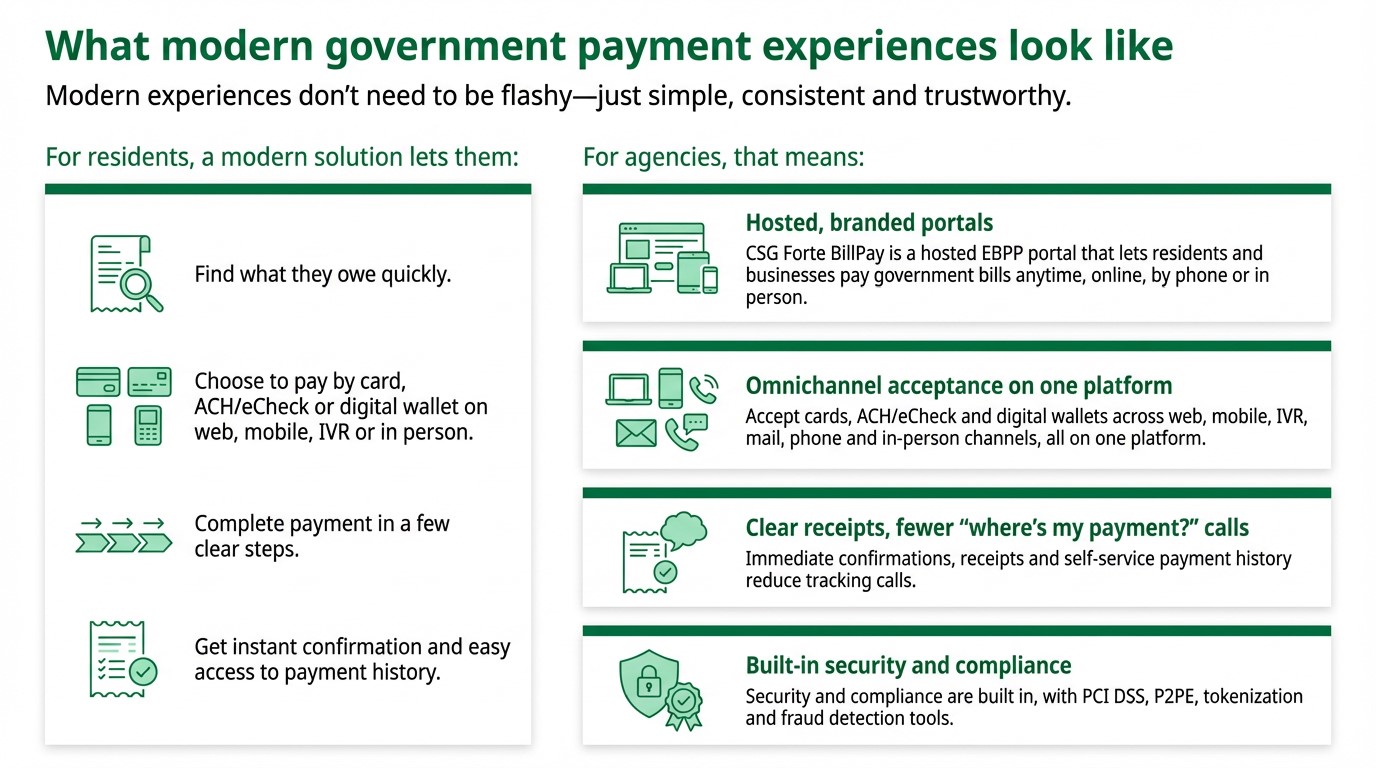
If teams are consistently blocked by legacy constraints, it may be time to adopt a hosted, branded bill payment portal that:
- Works across devices out of the box
- Supports guest and registered experiences
- Handles PCI scope, tokenization, and account validation for you
- Connects to existing billing or ERP systems via files and APIs
That’s how many organizations—from counties like Lucas and Mecklenburg to ISVs and property managers—have unlocked better experiences without rewriting their entire stack at once.
Next step
To see these patterns from the customer’s point of view, read our companion piece, “What Customers Want from Digital Payments,” which dives into how payers themselves define a “good” payment experience and where they say portals most often fall short.
Frequently Asked Questions
What does it mean to “improve payment portal experience”?
It means making the end-to-end journey—from receiving a bill to payment confirmation—faster, clearer, and more trustworthy. That includes shorter flows, clear amounts and fees, flexible payment options, and strong confirmations across web, mobile, text, and other channels.
What are the biggest reasons customers abandon payment portals?
Common causes include hard-to-find payment paths, forced account creation for simple payments, confusing or late-disclosed fees, poor mobile usability, and weak confirmations that leave customers unsure whether a payment went through.
Do I have to rebuild my entire system to improve our payment portal?
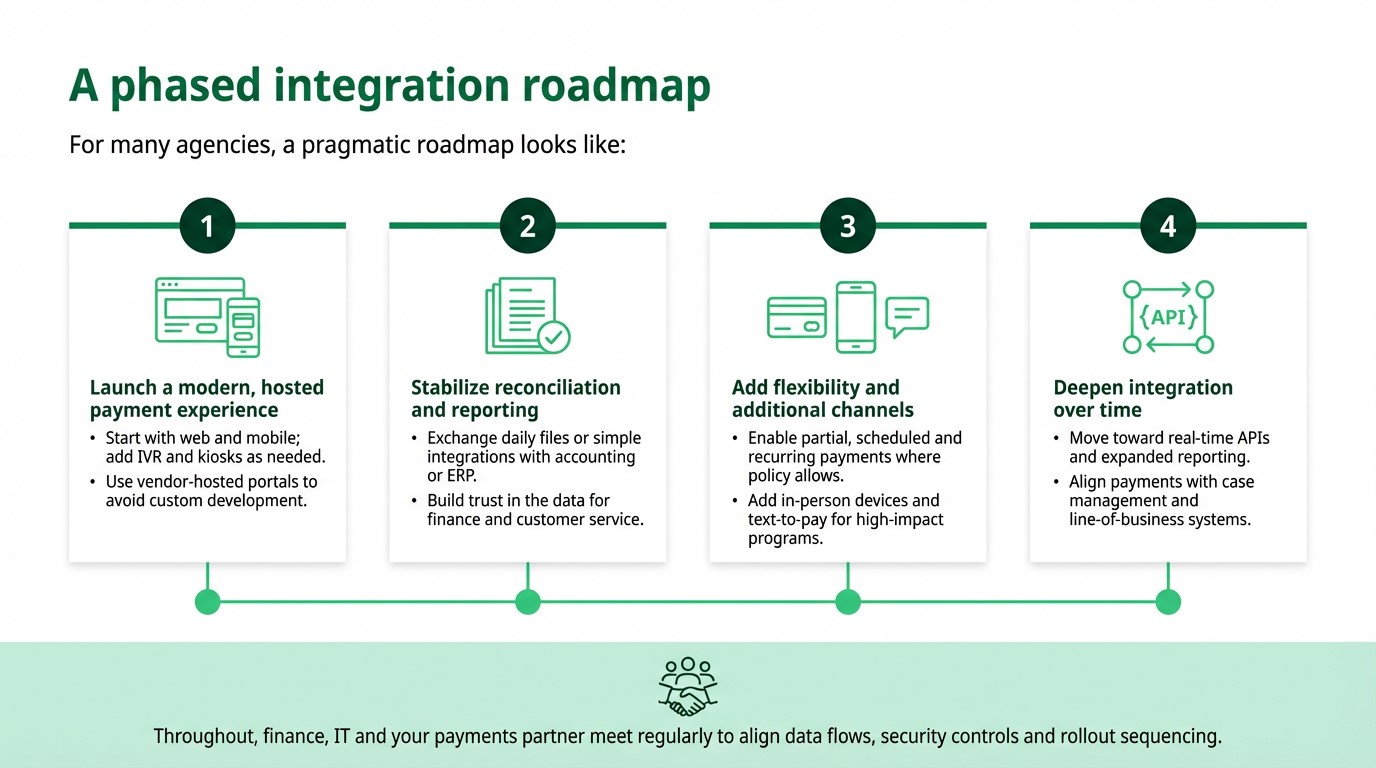
Not usually. Many organizations start by modernizing the experience layer—adopting a hosted, branded bill payment portal that integrates with existing billing or ERP systems—then phase in additional changes over time.
Which features matter most if we want customers to use our portal instead of calling?
Customers consistently value: easy-to-find “Pay now” entry points, guest/express pay, clear bill summaries, multiple payment methods (card, ACH, digital wallet), recurring options, and fast access to receipts and payment history.
How should we measure whether our portal experience is improving?
Track metrics like completion rate, drop-off points, digital vs. offline payment mix, billing-related call volume, and on-time payment rates before and after UX or feature changes. This helps you see which improvements actually move the needle.