A Practical Guide to Mobile Payment Acceptance

Businesses can accept mobile payments through Tap to Pay (NFC), mobile card readers, quick-response (QR) codes, virtual terminals, or digital payment links powered by a payment processor or facilitator. These options allow you to turn an iPhone, Android smartphone, or tablet into a fully functioning point of sale (POS) without leasing bulky checkout counters.
Mobile payment use is accelerating rapidly, with over 58% of Americans using digital wallets in 2025. As consumers increasingly replace physical wallets with smartphones and smartwatches, offering frictionless contactless checkout has evolved from a customer perk into an operational standard. This comprehensive guide details the primary mobile payment methods available, how setup works step by step, the true costs involved, how to choose the right provider, and the backend operational realities—from settlement to chargebacks—that occur after the first tap.
What Is a Mobile Payment?
A mobile payment is any financial transaction completed using a mobile device—such as a smartphone, tablet, or smartwatch—rather than cash, checks, or a physical plastic card. Most mobile payments rely on digital wallets such as Apple Pay, Google Pay, and Samsung Pay, or peer-to-peer (P2P) payment apps.
Operationally, mobile transactions fall into two distinct environments:
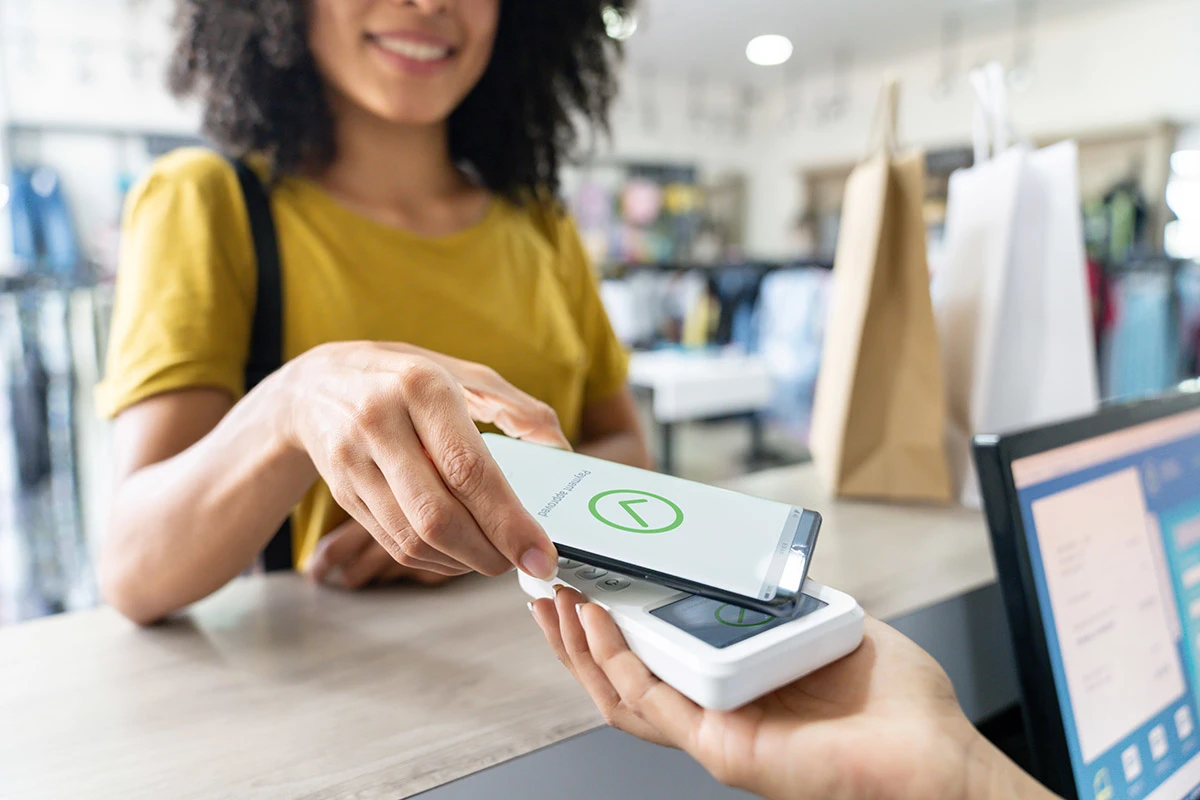
In-person mobile payments: The customer holds their device near an NFC-enabled terminal or smartphone to complete a contactless checkout.
Remote or online mobile payments: The customer checks out via a mobile browser, in-app checkout, or payment link using stored digital wallet credentials.
Both formats safeguard sensitive account details using underlying security measures like tokenization and end-to-end encryption, replacing actual card numbers with unique, non-sensitive mathematical identifiers.
Types of Mobile Payments Businesses Can Accept
Modern payment infrastructure offers several ways to take payments via mobile devices, matching different sales environments:
1. Tap to Pay (NFC / SoftPOS)
Tap-to-pay turns a standard smartphone into an EMV-compliant contactless payment terminal without extra add-ons.
Requirements: A compatible NFC-enabled smartphone (such as an iPhone or Android device) running a supported payment app.
Best for: Mobile service professionals, pop-up shops, and boutique retailers aiming for zero hardware overhead.
2. Mobile Card Readers
Mobile card readers are compact card readers that connect to a phone or tablet via Bluetooth or an audio/charging port.
Requirements: A dedicated reader device and mobile POS software.
Best for: Merchants needing to accept traditional EMV chip inserts and magnetic-stripe swipes alongside contactless taps.
3. QR Code Payments
QR codes provide touchless checkouts where a customer scans a dynamically generated or static QR code using their own smartphone camera to complete payment.
Requirements: A printed or screen-displayed QR code linked to a payment gateway.
Best for: Fast-casual dining, table service, outdoor events, and market stalls.
4. Payment Links (Pay by Link)
Payment links are digital URLs generated by your merchant dashboard that direct customers to a secure web checkout page.
Requirements: An internet-connected device with email, SMS, or messaging capabilities.
Best for: Remote billing, custom orders, invoices, and independent professional services.
5. SMS / Text-to-Pay
Text-to-pay (SMS) methods include automated or direct text messages containing a direct link that customers can follow to finalize payment.
Requirements: A mobile billing platform supporting SMS dispatch.
Best for: Auto repair shops, medical practices, and appointment-based businesses.
6. Virtual Terminal (Keyed Entry)
Web-based portal where merchants manually type in card numbers using a smartphone browser or app.
Requirements: Merchant dashboard access on any internet-enabled device.
Best for: Phone orders, remote deposits, and back-office invoicing.
7. In-App Payments
In-app payments are native payment flows embedded directly inside a business's custom mobile application.
Requirements: Software development kit (SDK) or application programming interface (API) integration.
Best for: On-demand services, recurring subscriptions, and app-driven retail.
Which Mobile Payment Method Is Right for Your Business?
Choosing a mobile payment method depends on your operating environment, average ticket size, and whether transactions take place face-to-face or remotely.
Payment Method | Best For | Hardware Needed | Advantages | Limitations |
|---|---|---|---|---|
SoftPOS (Tap to Pay) | Direct in-person contactless sales without peripherals | Compatible smartphone only | Instant setup; zero hardware expense; streamlined footprint | Contactless only; cannot process chip-insert or magnetic-stripe cards |
Mobile Card Reader | Merchants requiring all physical and digital payment types | External reader + smartphone/tablet | Accommodates chip, swipe, and tap; widely recognized UX | Requires purchase, battery management, and Bluetooth pairing |
Virtual Terminal | Taking payments when customer is remote | Any smartphone, tablet, or laptop | Works without customer present; no physical card hardware needed | Higher card-not-present processing fees; manual data entry |
QR Code Payments | Touch-free, high-speed customer-driven checkout | Display screen or printed code | Extremely low barrier to entry; leverages customer's device | Dependent on customer device capability; less immediate than NFC |
Payment Links | Service billing, contractors, and custom orders | Smartphone or computer | Easy remote collection via text/email; no hardware | Card-not-present rates; relies on customer to finish the flow |
If you prefer to operate entirely without extra equipment, SoftPOS (Tap to Pay) provides an immediate all-in-one terminal. However, if your customer base still relies on traditional physical cards that lack contactless features, pairing a mobile card reader ensures you never decline a sale.
Device Compatibility Note: Tap to Pay requires modern operating hardware. Apple requires an iPhone XS or newer running recent iOS releases. Android typically requires Android 8.0 or higher with built-in NFC functionality enabled. Standard tablets generally lack the necessary NFC antenna arrays for SoftPOS capability.
How to Accept Mobile Payments — Step-by-Step Setup
Setting up mobile payments follows an accessible operational workflow:
Choose a payment provider and create an account: Select an established payment processor or payment facilitator (such as CSG Forte) and submit the required business and identity verification details.
Download the POS application and link banking details: Install the provider's mobile app from the Apple App Store or Google Play Store, then securely link your business checking account for payouts.
Optionally configure an external card reader: If you plan to accept EMV chip inserts or swipes, pair your Bluetooth reader through the app interface.
Enable NFC in system settings (Android): For Android devices, open device settings, verify NFC is toggled on, and ensure your default wallet setting does not override payment-app capture.
Enable Tap to Pay within the app: Inside your POS app settings, toggle on Tap to Pay on iPhone or Tap to Pay on Android and accept the associated network terms.
Configure operational settings: Set up sales tax calculations, tip suggestions, inventory catalogs, and customized digital receipt templates (email and SMS).
Run a test transaction: Process a $1.00 payment using your own card or mobile wallet to verify authorization flow and receipt generation.
Accept payments and issue digital receipts: Present your device to customers for their contactless tap or issue payment links on the spot.
Platform Distinction: Tap to Pay on iPhone configures almost entirely within the merchant POS app using your Apple ID. Android devices require checking your system settings first to verify NFC is active and ensuring default contactless payment settings do not conflict with the merchant POS software.
How Much Does It Cost to Accept Mobile Payments?
Processing mobile payments generally costs between 2.0% and 4.0% per transaction, depending on your pricing model, transaction volume, and the way payment details are gathered. Providers typically package processing costs into three distinct pricing structures:
Pricing Model | How It Works | Best For |
|---|---|---|
Flat-Rate | Fixed percentage plus a flat per-transaction fee (e.g., 2.6% + $0.10), regardless of card brand | New ventures and lower-volume businesses wanting predictable pricing |
Interchange-Plus | Direct pass-through of the card network's wholesale base interchange rate plus a transparent processor markup | Established, growing, and high-volume operations seeking the lowest true cost |
Tiered | Transactions sorted into "qualified," "mid-qualified," or "non-qualified" categories at the processor's discretion | Generally less transparent; often results in unpredictable costs |
Card-Present vs. Card-Not-Present Rates
A vital distinction in payment costs lies between card-present (CP) and card-not-present (CNP) transactions:
Card-Present (In-Person Tap/Swipe): When a customer taps an Apple Pay or Google Pay wallet against your phone, it registers as a card-present transaction. Because EMVCo standards and device biometrics verify the cardholder's presence, risk is low, qualifying for lower interchange rates.
Card-Not-Present (Keyed/Links): Keyed-in virtual terminal transactions, remote payment links, and online checkouts are classified as card-not-present. Due to heightened fraud and dispute risk, CNP processing fees are typically 0.30% to 0.80% higher per transaction.
Potential Incidental Fees
Carefully review your merchant agreement for ancillary expenses, including:
Monthly statement or platform access fees
Payment gateway maintenance fees
PCI DSS compliance or non-validation penalties
Chargeback dispute resolution fees (usually $15–$30 per disputed transaction)
Monthly processing minimums and early termination penalties on long-term contracts
How to Choose a Mobile Payment Provider
Selecting a mobile payment platform requires looking beyond the headline processing fee. Use this checklist to evaluate fit:
Pricing Transparency: Are interchange fees, markups, and dispute charges stated clearly without hidden monthly line items?
Contract Flexibility: Does the provider offer month-to-month billing, or do they lock you into multi-year commitments with early termination fees?
Supported Payment Methods: Does the platform support NFC, Apple Pay, Google Pay, standard credit/debit networks, and alternative billing methods like ACH?
Hardware Ecosystem: Can the software expand from simple Tap to Pay into dedicated countertop hardware, barcodes, or mobile readers as you scale?
Payout Speed: What is the standard settlement window, and does the provider offer same-day or instant deposit alternatives when cash flow requires it?
System Integrations: Does the system synchronize automatically with your general ledger (e.g., QuickBooks, Xero) and inventory tracking tools?
Account Type (Payment Facilitator vs. Direct Merchant Account): Payment facilitators (like Square or Stripe) offer rapid, same-day onboarding with shared underwriting, making them ideal for beginners. Dedicated merchant account providers involve formal underwriting but offer greater account stability, direct volume discounts, and customized enterprise settlement terms.
Before switching providers, confirm that your contract does not carry an early termination penalty and ensure stored customer payment tokens can be migrated securely.
Benefits of Accepting Mobile Payments for Your Business
Transitioning to mobile payments modernizes daily payment operations:
Conduct Business Anywhere: Accept revenue at customer job sites, trade shows, farmers markets, or curbside without relying on landline infrastructure.
Improved Cash Flow: Digital transactions eliminate invoice delays, bad checks, and trips to the bank branch.
Reduced Checkout Wait Times: Tap-and-go digital wallet payments settle in seconds, allowing staff to eliminate bottlenecks and manage line-busting during peak hours.
Higher Invoice Collection Rates: Field technicians and service contractors can collect payment via SMS link or tap immediately upon project completion.
Customer Preference Alignment: Catering to cashless, smartphone-first buyers removes friction and drives sales.
Mobile Payment Security — What Businesses Need to Know
Contactless mobile transactions are among the most secure payment methods available today, built on defense-in-depth architecture.
How Mobile Payments Protect Transaction Data
Tokenization: When a customer loads a credit card into Apple Pay or Google Wallet, the primary account number (PAN) is replaced by a randomized Device Account Number (token). Your business never sees, handles, or stores actual card details.
Encryption: Transaction information is scrambled from the moment it touches the NFC sensor until it arrives at the payment processor.
Biometric Authentication: Mobile wallets require customer identity confirmation (Face ID, Touch ID, or PIN) before the NFC radio transmits, neutralizing the risk of stolen device fraud.
Merchant Security Best Practices for Mobile Payments
Even with advanced platform encryption, merchants must maintain basic operational precautions:
Never hand your unlocked smartphone to a customer; present the device screen facing outward.
Require biometric login or a secure PIN to unlock the business device and payment application.
Remove physical cards or badges stored under phone cases to prevent dual-NFC read errors.
Keep mobile operating systems and payment applications updated to the latest security patches.
Use granular staff logins to restrict employees from issuing refunds or viewing bank account numbers.
PCI DSS Compliance Made Simple
The Payment Card Industry Data Security Standard (PCI DSS) governs all businesses that handle payment card information. Utilizing a validated SoftPOS or payment facilitator significantly reduces your compliance burden because card data never touches your local servers. However, it does not remove compliance obligations entirely. Most merchants must complete an annual Self-Assessment Questionnaire (typically SAQ A or SAQ A-EP), verifying that your devices, networks, and operational protocols remain properly secured.
What Are the Downsides of Accepting Mobile Payments?
While mobile payments offer exceptional convenience, businesses should prepare for practical limitations:
Device and Software Compatibility: Older smartphone models lack the NFC chips or secure elements required for Tap to Pay, limiting hardware flexibility.
Connectivity Dependence: Mobile processing relies on an active cellular data or Wi-Fi connection. A dead zone or network drop can disrupt checkout flows.
Higher Card-Not-Present Fees: Invoicing, keyed entry, or payment links carry higher interchange rates than physical in-person taps.
Transaction Limits: Card networks and issuing banks sometimes impose per-transaction contactless limits. High-value transactions may prompt a signature, PIN input, or secondary verification.
Offline Payment Risks: If your provider offers an offline or "store-and-forward" mode, transactions are stored locally and processed when connectivity returns. While this prevents lost sales during outages, you carry the fraud risk if a stored card is subsequently declined or reported stolen.
Quick Troubleshooting Tips: If a mobile payment fails to read, verify that Android NFC is toggled on, remove thick protective phone cases that block the internal antenna, verify the customer has authenticated their wallet, and reboot the POS application.
After the Sale — Settlement, Payouts & Getting Paid
Completing a sale is only the first step in the payment lifecycle. Understanding how funds move from your customer’s balance into your commercial bank account helps you manage working capital effectively.
Authorization: Customer taps phone; funds are verified and reserved.
Capture: Transaction is batched at close of business.
Settlement: Processor moves funds through card networks.
Payout: Funds clear into your business bank account.
The Settlement Flow
Authorization: The customer taps their phone; the payment processor and issuing bank verify fund availability and place a temporary hold on the customer's balance.
Capture: The authorized transaction is bundled into a batch settlement, typically at the close of your business day.
Settlement: The payment gateway and processor route the batch through the card network to collect funds from the cardholder's issuing bank.
Payout: The processor deposits the collected proceeds (minus interchange and processing fees) into your linked business checking account.
Payout Schedules
Standard deposit schedules range from one to two business days. Many payment processors offer optional instant deposits for an additional fee (often 1% to 1.75%). Keep in mind that weekends, federal reserve holidays, and initial account verification reviews can lengthen delivery times.
Refunds vs. Chargebacks
Managing post-sale exceptions requires separating merchant-initiated actions from bank disputes:
Refunds: A customer returns a purchase, and you initiate a voluntary reversal of funds back to their card via your POS dashboard. The processor reverses the sale, though original transaction processing fees are usually non-refundable.
Chargebacks: The cardholder bypasses you and disputes a transaction directly through their issuing bank, alleging unauthorized billing, non-delivery, or fraud. The bank immediately debits the disputed amount plus an administrative chargeback fee from your balance. To counter a dispute, you must submit formal evidence (such as signed delivery slips, digital receipts, or proof of biometric NFC authorization). Because Tap to Pay leverages chip-grade cryptographic verification, in-person NFC mobile payments offer substantially higher merchant dispute protection than keyed-in transactions.
How CSG Forte Can Help Your Business Accept Mobile Payments
Managing payment operations across multiple channels often leads to fragmented records, unexpected processing markups, and operational friction. CSG Forte provides payment processing infrastructure engineered to unify your digital, mobile, and back-office transactions within a single, secure environment.
Whether you need to collect payments through mobile payment links, embed frictionless checkout workflows, or automate recurring billing operations, CSG Forte pairs scalable technology with transparent payment processing. Our direct gateway and processing solutions deliver enterprise-grade tokenization, hands-on PCI DSS compliance support, and advanced fraud mitigation tools—ensuring your payment workflows remain fully compliant as your transaction volume grows.
Simplify your payment ecosystem, safeguard customer data, and deliver modern payment experiences across every channel. Contact the CSG Forte team today to discover how our tap-to-pay solutions can support your business.
Mobile Payments FAQs
Can I accept mobile payments without a merchant account?
Yes. Payment facilitators (such as Square, Stripe, or PayPal) aggregate merchants under a master merchant account. This structure allows you to download an app, link your bank details, and start accepting mobile payments almost instantly without completing individual bank underwriting. However, as your transaction volume grows, transitioning to a dedicated merchant account through a payment processor provides lower interchange-plus fee structures and greater account stability.
Can I accept mobile payments offline, without an internet connection?
Certain mobile POS software platforms offer an "offline mode" (store-and-forward). In this state, the app captures the card data locally on the device while offline and queues it for authorization once connectivity is restored. However, this workflow introduces financial risk: if the customer's card is expired, over-limit, or stolen, the transaction will decline during settlement, leaving your business responsible for the loss.
What happens if a customer disputes a mobile payment?
When a customer disputes a transaction, their issuing bank files a formal chargeback. Your processor notifies you of the dispute and provides a submission window to submit counter-evidence, such as itemized digital receipts, proof of fulfillment, or electronic delivery confirmations. Notably, in-person mobile wallet payments verified via EMV chip standards or biometric authentication carry significantly higher dispute defense rates than card-not-present keyed entries.
Can I pass processing fees on to customers?
In many regions, merchants can implement credit card surcharging or convenience fees to offset processing overhead. However, surcharging is subject to strict card network regulations, cannot exceed actual processing costs (typically capped at 3% or 4%), cannot be applied to debit or prepaid cards, and is prohibited by law in several U.S. states. Consult state guidelines and your payment provider's operating rules before applying surcharges.
How do I manage mobile payments across multiple employees?
Most modern payment platforms support multi-user management with granular role-based permissions. Account owners can equip multiple staff devices with team logins, permitting employees to run sales and issue receipts while restricting access to bank account settings, administrative reporting, and manual refund capabilities. When you enable Tap to Pay on your primary account, authorized team members can generally activate the feature across their individual mobile devices immediately.
How do payment links and digital invoices work?
Payment links and digital invoices give your team a fast, connected way to collect payments without chasing customers down. You create an invoice, send it by email or SMS, and the customer pays directly from a secure, hosted payment page — no portal login required. Payments via card or ACH/eCheck are accepted instantly, and invoice status updates in real time so your team always knows what's paid, pending, or past due.